Meet our experts WordPress Theme



Three Profile Cards Create Stable Team Content for a WordPress Page
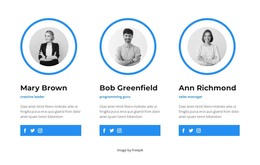
The “Meet The Team” heading gives this section a clear page-content role before the three individual profiles begin. A bright green band carries the centered title and image credit label, while the white cards overlap its lower edge to connect the introduction with the people presented below. Each profile contains a grayscale portrait, a name, a role label, descriptive text, and Facebook, Twitter, and Instagram links, creating a structured team area that can remain part of a stable WordPress-managed page.
The repeated card arrangement makes the content easy to compare without flattening the profiles into a simple list. Mary Brown and Ann Richmond share the “creative leader” label, while Bob Greenfield is identified as a “programming guru.” Their role differences sit within the same visual system: rounded white surfaces, light-gray information panels, centered text, and soft shadows. The grayscale portraits also give the three profiles a consistent editorial treatment.
In a WordPress-oriented project, this block can function as permanent team or company information within a broader page, while other content areas handle services, projects, contact details, or regularly updated material. The social links extend each profile toward external destinations without changing the section’s primary purpose. Its value is the combination of structured people content and a ready-made visual arrangement, not a standalone theme or complete site.
Customize with Nicepage
Open this ready-made template in the WordPress Website Builder and customize it visually in the Nicepage editor. Replace demo content, edit page sections, and adapt the design to your project without rebuilding the template from scratch.
Edit Template Offline
2. Create a new page or select existing
3. Click Add new block, search for id 2748868 and click enter
Edit Template Online
Create Awesome Websites


Free Nicepage Builder
Keywords
Manage and Edit This Theme in WordPress
Customize and Install the WordPress Theme
Start with this ready-made theme instead of building the WordPress design from scratch. Customize its layout, content, typography, images, sections, and other design elements visually in Nicepage editor, then export and install the WordPress Theme, Plugin, and Pages on your WordPress site. The Nicepage WordPress Plugin lets you continue working with the site after installation.
Edit the Theme Directly in WordPress
After installation, you can edit the WordPress Theme directly in WordPress with the Nicepage WordPress Plugin. Use Site Style to customize site Colors, Fonts, Header, Footer, Blog, and Post Page Templates while working within your WordPress website.
Edit WordPress Pages Visually
Use the Nicepage WordPress Plugin to edit page content directly from the WordPress admin area. Open a WordPress Page with Nicepage and visually change its text, images, sections, and other page elements while continuing to manage the Page through WordPress.
WordPress Content and Theme Integration
Use the customized theme with WordPress Pages, Posts, Blog and Post Templates, menus, widgets, and other CMS-managed content. Shared theme elements such as Colors, Fonts, Header, Footer, Blog, and Post Page Templates can be managed as part of the overall site design, while WordPress provides the CMS environment for managing site content.
This workflow combines a ready-made WordPress Theme with visual customization, direct theme editing in WordPress, and continued content management through the Nicepage WordPress Plugin.