Basketball Training School Template


Edit Template Offline
2. Create new page and search for id 6641016
Edit Template Online
Create Awesome Websites


Free Nicepage Builder
Keywords
Four training paths give this sports design a clear point of difference
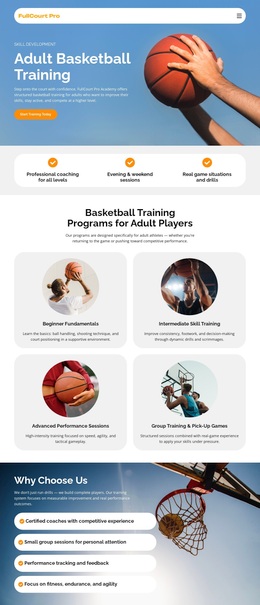
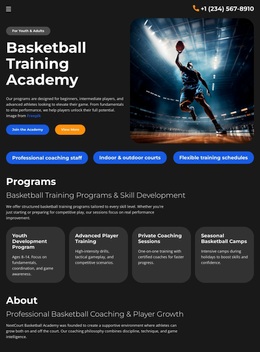
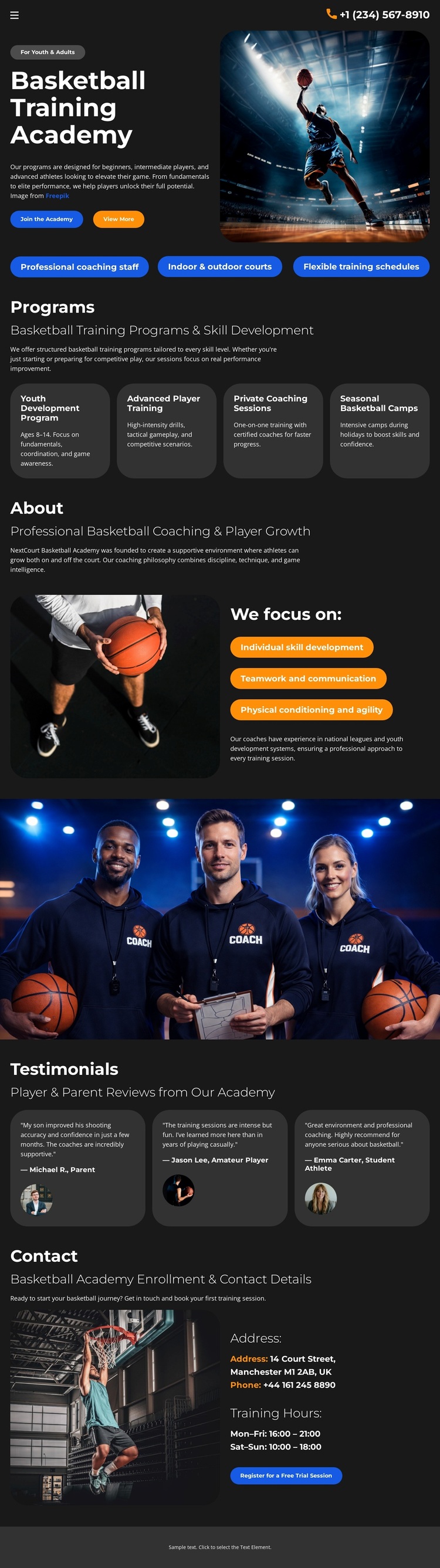
Basketball action imagery is paired with a focused set of academy content rather than a generic sports layout. The opening section immediately names the Basketball Training Academy and places two orange actions beside a large photograph. Beneath it, three compact benefit labels describe professional coaching staff, indoor and outdoor courts, and flexible training schedules, giving the design practical detail early in the experience.
The strongest reason to choose this particular option is its coverage of several training needs within one coherent page. The Programs section includes Youth Development Program, Advanced Training, Private Coaching Sessions, and Seasonal Basketball Camps. That range lets the design speak to different player stages and participation formats without relying on a dense catalog. The About section adds a clear development philosophy through skill development, teamwork and communication, and physical conditioning and agility.
The remaining sections support that direction with a full-width coaching photograph, three testimonial entries, and a contact area that includes training hours and a free trial registration action. The dark charcoal surfaces, white type, orange accents, rounded cards, and energetic imagery make the page more specific than a neutral fitness template. It is a useful choice when basketball training, player growth, and academy enrollment should remain the central message.
Customize with Nicepage
Open this ready-made template in the Template Builder and customize it visually in the Nicepage editor. Replace demo content, edit page sections, and adapt the design to your project without rebuilding the template from scratch.
Start With a Ready-Made Template
Choose a Design for a New Page
Use a ready-made template as a starting point instead of creating every page from a blank canvas. When adding a new page in Nicepage, browse available designs, compare different layouts, and choose an option that already fits the general purpose and visual direction of your project.
Browse Different Page Designs
Explore Page Designs using search, thematic categories, Design Sets, and full-page previews. The collection includes layouts for different subjects and page purposes, making it easier to compare alternatives before selecting a design to customize.
Customize the Selected Template
After choosing a design, create the page and continue editing it visually in Nicepage. Replace the demo content, adjust images, typography, colors, sections, and other elements, and adapt the ready-made layout to your own content instead of rebuilding the design from the beginning.
Explore More Design Directions
If the first option does not match your project closely enough, return to the design collection and compare other templates before committing to a layout. This makes the template library useful not only for faster page creation, but also for exploring different visual approaches and finding a suitable starting point for a new project.
This workflow gives you access to a broad collection of ready-made designs that can be selected, compared, and customized according to the needs of each new page or project.