Cycling News Template


Edit Template Offline
2. Create new page and search for id 14633
Edit Template Online
Create Awesome Websites


Free Nicepage Builder
Keywords
Race Results, Bike Features, and Riding Stories Share One Editorial Direction
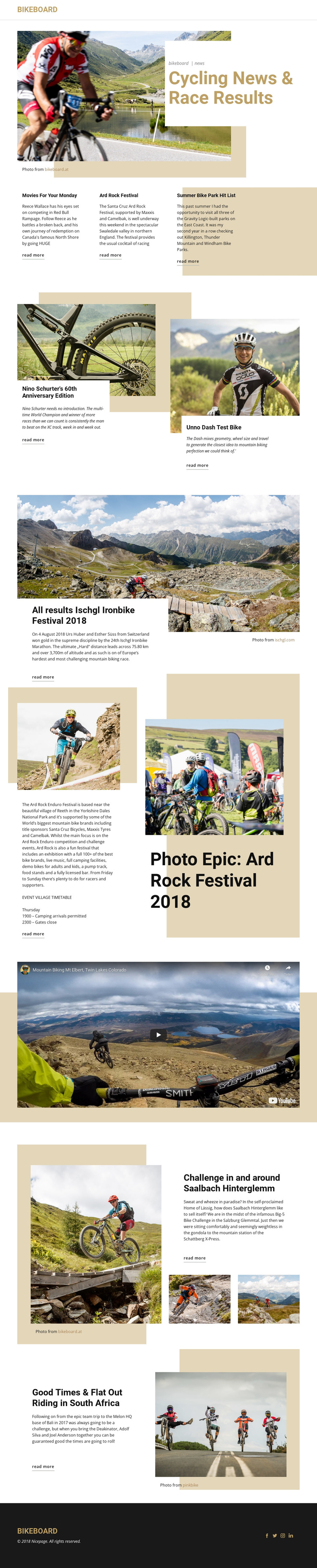
The strongest reason to choose this design is its range of cycling content within one recognizable publication framework. The hero establishes BikeBoard as a cycling-news source, while the first story row offers three compact entry points for lighter or more immediate coverage. That arrangement can support a magazine that needs to place several headlines near the top without making every story compete for the same amount of space.
The larger sections then demonstrate how the design handles different editorial subjects. Bike feature panels can frame test-bike and equipment stories, while the Ischgl Ironbike section gives race results a more prominent visual treatment. The Ard Rock feature combines event photographs, descriptive copy, and an event village timetable reference, showing how the page can carry both visual reporting and practical event information. Later destination features extend the subject from competitions to riding experiences in the Salzburg Glemmtal and South Africa. The video area adds another form of cycling coverage between the written stories.
This combination makes the template a useful option for cycling enthusiasts, mountain bikers, racers, and event followers who need more than a single promotional message. It offers visible content coverage for news, results, reviews, festivals, challenges, destinations, and media, while recurring read-more links keep the page focused on fuller article coverage. The design’s value lies in that editorial breadth and in the clear distinction between short previews and feature-length story areas.
Customize with Nicepage
Open this ready-made template in the Template Builder and customize it visually in the Nicepage editor. Replace demo content, edit page sections, and adapt the design to your project without rebuilding the template from scratch.
Start With a Ready-Made Template
Choose a Design for a New Page
Use a ready-made template as a starting point instead of creating every page from a blank canvas. When adding a new page in Nicepage, browse available designs, compare different layouts, and choose an option that already fits the general purpose and visual direction of your project.
Browse Different Page Designs
Explore Page Designs using search, thematic categories, Design Sets, and full-page previews. The collection includes layouts for different subjects and page purposes, making it easier to compare alternatives before selecting a design to customize.
Customize the Selected Template
After choosing a design, create the page and continue editing it visually in Nicepage. Replace the demo content, adjust images, typography, colors, sections, and other elements, and adapt the ready-made layout to your own content instead of rebuilding the design from the beginning.
Explore More Design Directions
If the first option does not match your project closely enough, return to the design collection and compare other templates before committing to a layout. This makes the template library useful not only for faster page creation, but also for exploring different visual approaches and finding a suitable starting point for a new project.
This workflow gives you access to a broad collection of ready-made designs that can be selected, compared, and customized according to the needs of each new page or project.