Empowering homes Template


Five Benefits, Rounded Imagery, and a Visible Proof Point
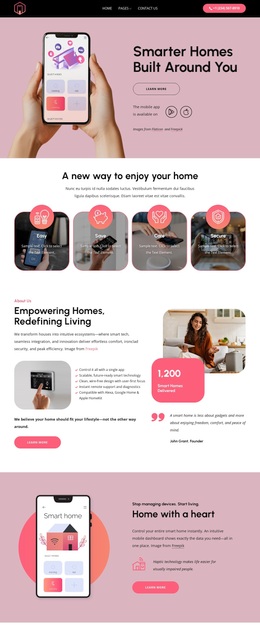
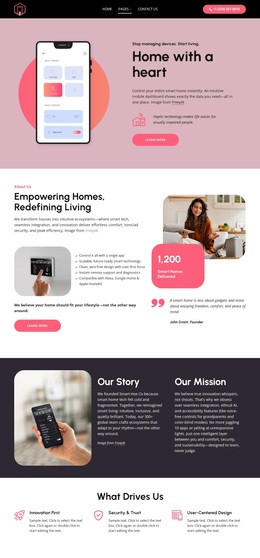
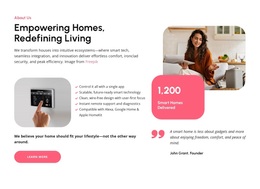
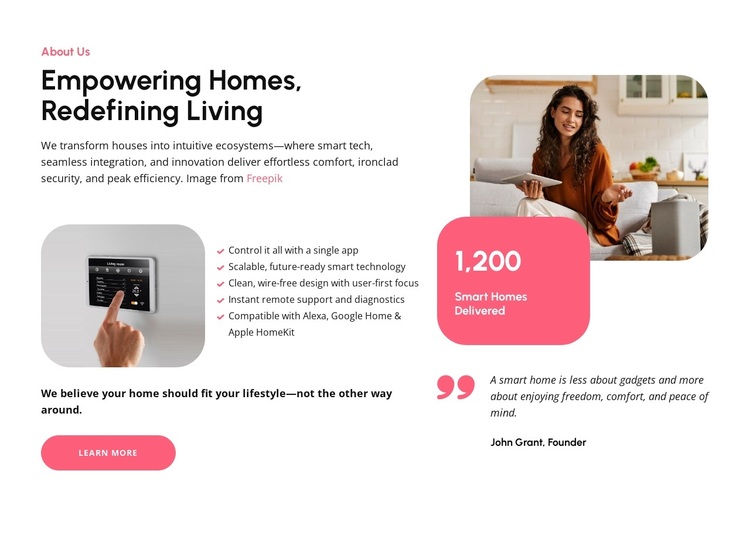
The section brings together several characteristics that distinguish it from a simpler text-only About design. “Empowering Homes, Redefining Living” gives the block a clear proposition, while the five capability statements turn that proposition into specific themes: single-app control, scalable technology, wire-free design, remote support and diagnostics, and compatibility with Alexa, Google Home, and Apple HomeKit. This combination provides more content coverage than a single introductory paragraph without requiring a dense card grid.
Its visual direction is equally specific. Two rounded smart home images create a residential setting, the white background leaves generous space around the content, and bright pink accents draw attention to the metric badge and related emphasis. The displayed “1,200 Smart Homes Delivered” figure creates a strong focal point on the right, where it sits with a founder quote attributed to John Grant. On the left, the compact feature list and Learn More button keep the practical message easy to scan. Choose this block when an About or capability section needs to explain several smart home benefits while also presenting visual context, a proof-oriented metric, and a personal voice. Its value lies in how those roles are combined within one balanced two-column design.
Customize with Nicepage
Open this ready-made template in the Template Builder and customize it visually in the Nicepage editor. Replace demo content, edit page sections, and adapt the design to your project without rebuilding the template from scratch.
Edit Template Offline
2. Create a new page or select existing
3. Click Add new block, search for id 6541935 and click enter
Edit Template Online
Create Awesome Websites


Free Nicepage Builder
Keywords
Start With a Ready-Made Template
Choose a Design for a New Page
Use a ready-made template as a starting point instead of creating every page from a blank canvas. When adding a new page in Nicepage, browse available designs, compare different layouts, and choose an option that already fits the general purpose and visual direction of your project.
Browse Different Page Designs
Explore Page Designs using search, thematic categories, Design Sets, and full-page previews. The collection includes layouts for different subjects and page purposes, making it easier to compare alternatives before selecting a design to customize.
Customize the Selected Template
After choosing a design, create the page and continue editing it visually in Nicepage. Replace the demo content, adjust images, typography, colors, sections, and other elements, and adapt the ready-made layout to your own content instead of rebuilding the design from the beginning.
Explore More Design Directions
If the first option does not match your project closely enough, return to the design collection and compare other templates before committing to a layout. This makes the template library useful not only for faster page creation, but also for exploring different visual approaches and finding a suitable starting point for a new project.
This workflow gives you access to a broad collection of ready-made designs that can be selected, compared, and customized according to the needs of each new page or project.

Design Set (23)
-

-
-
-
-
-
-
-
-
-
-
Free Website Builder SoftwareDownload
-
-
-