My quality services Template


A Portrait-and-Accordion Alternative to a Fixed Service Grid
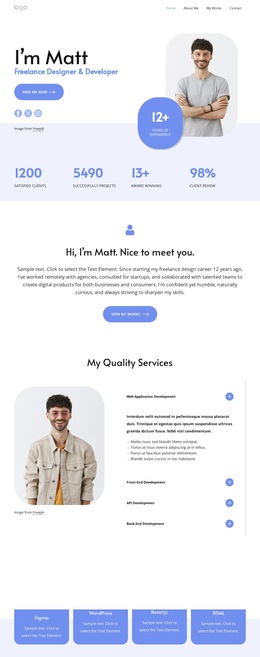
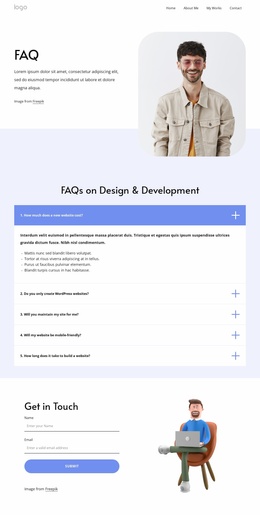
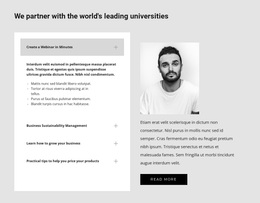
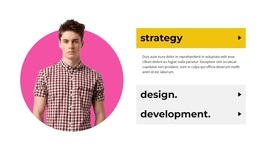
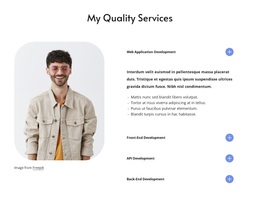
The strongest distinction of this block is the relationship between its rounded portrait and expandable service list. Instead of placing four development offerings in equally sized cards, the design uses the image as a visual counterweight and keeps the detailed content in an accordion. Web Application Development, Front-End Development, API Development, and Back-End Development remain visible as category titles, while their longer explanations can appear only when needed.
The open Web Application Development item shows the content capacity behind the compact presentation. A paragraph and four bullet points provide meaningful detail without requiring all four service descriptions to occupy the section simultaneously. This makes the design useful when a project needs to communicate a broad development range while retaining a controlled information density. Blue circular controls add a repeated visual marker for the interaction, and the centered heading establishes the section’s purpose before the visitor reaches the service list.
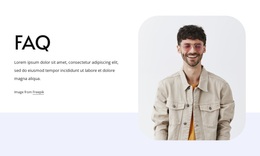
The rounded portrait further separates this option from a conventional text-only services layout. Generous whitespace keeps the image, heading, controls, and expanded copy from feeling crowded on the white background. When the layout stacks at narrower widths, the same content remains available in a more vertical sequence. Together, these choices make the block a considered alternative for presenting several related services with both human visual context and expandable explanation.
Customize with Nicepage
Open this ready-made template in the Template Builder and customize it visually in the Nicepage editor. Replace demo content, edit page sections, and adapt the design to your project without rebuilding the template from scratch.
Edit Template Offline
2. Create a new page or select existing
3. Click Add new block, search for id 6343245 and click enter
Edit Template Online
Create Awesome Websites


Free Nicepage Builder
Keywords
Start With a Ready-Made Template
Choose a Design for a New Page
Use a ready-made template as a starting point instead of creating every page from a blank canvas. When adding a new page in Nicepage, browse available designs, compare different layouts, and choose an option that already fits the general purpose and visual direction of your project.
Browse Different Page Designs
Explore Page Designs using search, thematic categories, Design Sets, and full-page previews. The collection includes layouts for different subjects and page purposes, making it easier to compare alternatives before selecting a design to customize.
Customize the Selected Template
After choosing a design, create the page and continue editing it visually in Nicepage. Replace the demo content, adjust images, typography, colors, sections, and other elements, and adapt the ready-made layout to your own content instead of rebuilding the design from the beginning.
Explore More Design Directions
If the first option does not match your project closely enough, return to the design collection and compare other templates before committing to a layout. This makes the template library useful not only for faster page creation, but also for exploring different visual approaches and finding a suitable starting point for a new project.
This workflow gives you access to a broad collection of ready-made designs that can be selected, compared, and customized according to the needs of each new page or project.