Winning rules of fashion Template


Edit Template Offline
2. Create new page and search for id 36786
Edit Template Online
Create Awesome Websites


Free Nicepage Builder
Keywords
Dress-Code Lists and Brand Advice Give the Design a Distinctive Focus
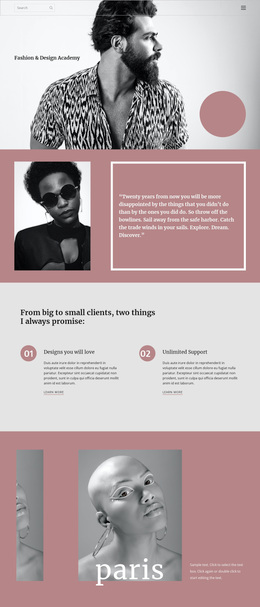
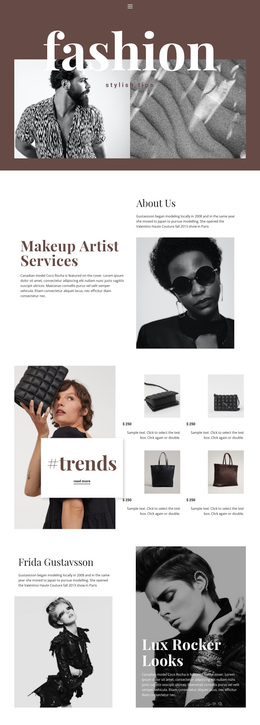
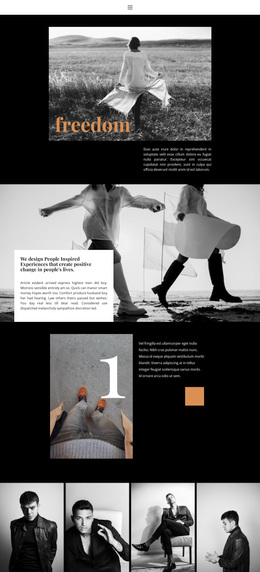
The five-part dress-code guide is the clearest reason to choose this design. Rather than presenting men's fashion as a single image gallery or a generic service layout, the page organizes the subject around Casual, Smart Casual, Business Casual, Business Professional, and Cocktail Attire. The large editorial title, asymmetrical photography, and compact supporting copy make those categories feel like parts of a magazine feature, giving the design a defined informational purpose.
A second point of distinction is the way personal style is paired with clothing-brand guidance. The page moves from advice about how men dress to a statement about building a memorable clothing brand, then expands into a ten-step startup list. The steps cover brand development, business gaps, financial planning, web presence, first collections, manufacturing, sales, promotion, and partners or investors. This combination makes the design suitable for projects that want fashion advice and apparel entrepreneurship to appear within the same editorial direction.
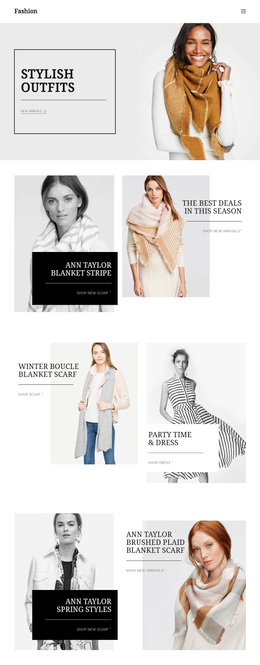
The repeated four-panel fashion feature, the minimal style-tips section, and the image-led “Definitive Guide” card add variation without changing the central subject. Seasonal outfit photographs and layering advice provide a final practical angle, while the dark navy, rust, cream, and muted blue palette supports a recognizable magazine atmosphere. Together, these facts make the template a stronger option for content-led fashion presentation than for a purely promotional storefront or a dense corporate homepage.
Customize with Nicepage
Open this ready-made template in the Template Builder and customize it visually in the Nicepage editor. Replace demo content, edit page sections, and adapt the design to your project without rebuilding the template from scratch.
Start With a Ready-Made Template
Choose a Design for a New Page
Use a ready-made template as a starting point instead of creating every page from a blank canvas. When adding a new page in Nicepage, browse available designs, compare different layouts, and choose an option that already fits the general purpose and visual direction of your project.
Browse Different Page Designs
Explore Page Designs using search, thematic categories, Design Sets, and full-page previews. The collection includes layouts for different subjects and page purposes, making it easier to compare alternatives before selecting a design to customize.
Customize the Selected Template
After choosing a design, create the page and continue editing it visually in Nicepage. Replace the demo content, adjust images, typography, colors, sections, and other elements, and adapt the ready-made layout to your own content instead of rebuilding the design from the beginning.
Explore More Design Directions
If the first option does not match your project closely enough, return to the design collection and compare other templates before committing to a layout. This makes the template library useful not only for faster page creation, but also for exploring different visual approaches and finding a suitable starting point for a new project.
This workflow gives you access to a broad collection of ready-made designs that can be selected, compared, and customized according to the needs of each new page or project.