Solve real management consulting cases Joomla Template


Edit Template Offline
2. Create new page and search for id 6174913
Edit Template Online
Create Awesome Websites


Free Nicepage Builder
Keywords
Service categories and contact regions suit structured Joomla content
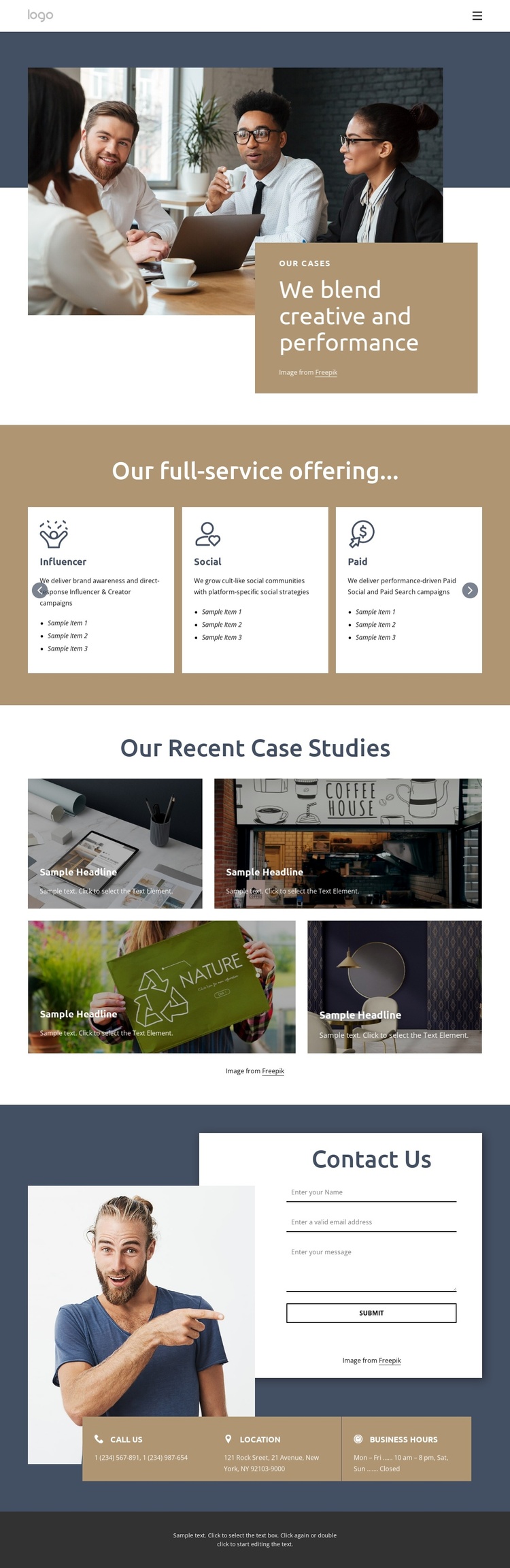
The four named categories—Influencer, Social, Paid, and Creative—divide the offering into clear informational groups that can be treated as recurring content areas within a Joomla-oriented site. Their presentation in a horizontally navigable card group adds an organized browsing layer without changing the page’s visual direction. The navigation header provides the shared entry point, while the hero gives the project showcase a defined editorial introduction through its large photograph, color-blocked panel, and case-focused label.
The four-tile case-study gallery supplies a second type of content region: visual examples that sit below the service explanation and give the portfolio a distinct evidence section. Its overlaid labels keep each project tile connected to the image rather than presenting the gallery as an unrelated photo collection. Near the end of the page, the contact form is supported by separate phone, location, and business-hours blocks. That arrangement separates direct inquiry from practical business information, making the page easier to interpret as a set of structured site regions. In a Joomla project, the design can therefore accommodate navigation, service information, visual project content, and contact details while keeping the header, footer, colors, and imagery within one coordinated presentation. The sample contact values remain structural placeholders, not verified business data.
Customize with Nicepage
Open this ready-made template in the Joomla Page Builder and customize it visually in the Nicepage editor. Replace demo content, edit page sections, and adapt the design to your project without rebuilding the template from scratch.
Work With This Template in Joomla
Customize and Install the Joomla Template
Start with this ready-made template instead of building the Joomla design from scratch. Customize its layout, content, typography, images, sections, and other design elements visually in the Nicepage application, then export and install the Joomla Template, Nicepage Extension, and supported content on your Joomla website.
Edit the Template Directly in Joomla
After installation, you can edit the Joomla Template directly in Joomla with the Nicepage Joomla Extension. Customize the Header, Footer, Colors, Fonts, typography, and Page Templates from the Joomla workflow while keeping the site design connected with your CMS content.
Edit Joomla Articles Visually
Use the Nicepage Joomla Extension to open and edit Joomla Articles visually from the Joomla Administrator. Change text, images, sections, layouts, and other page content in the Nicepage editor while continuing to manage the Articles through Joomla.
Joomla Content and Template Integration
Use the customized template together with Joomla Articles, module Positions, menus, forms, Blog Pages, and other supported CMS elements. With the Nicepage Extension used as the Site Style Source, shared design settings can be applied across Joomla Articles while Joomla continues to provide the CMS environment for managing site content.
This workflow combines a ready-made Joomla Template with visual customization, direct template editing in Joomla, and continued content management through the Nicepage Joomla Extension.