We support you in your daily HR work Joomla Template


Edit Template Offline
2. Create new page and search for id 6400425
Edit Template Online
Create Awesome Websites


Free Nicepage Builder
Keywords
People-Management Topics Connect With Joomla Content Regions
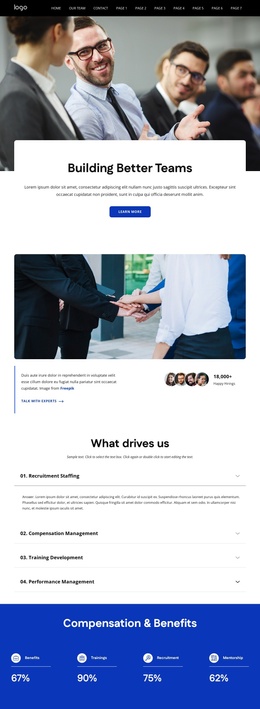
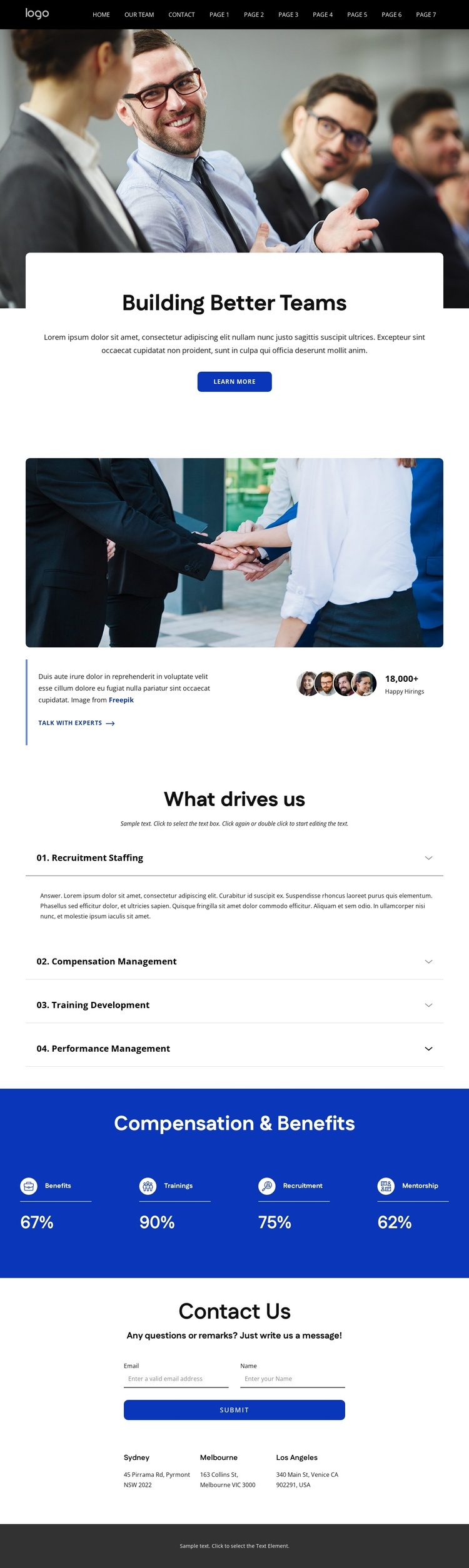
The four expandable topics under “What drives us” create a clear set of structured information areas for an HR-oriented Joomla site. Recruitment Staffing, Compensation Management, Training Development, and Performance Management are related subjects, but each has a defined place in the page, allowing the organization’s focus to be presented without flattening everything into one paragraph. The accordion also keeps the central section compact while preserving distinct topic labels for visitors who want to explore further.
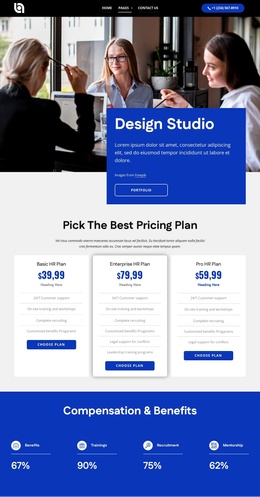
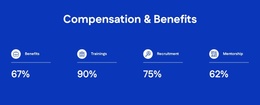
Other regions support the broader site structure. The dark navigation and footer provide shared framing, while the contact section combines an inquiry form with three office-location entries. That pairing gives visitors both a response channel and location-oriented information near the end of the page. Phone, email, and social links in the footer extend the available contact paths without changing the page’s visual direction. The blue “Compensation & Benefits” band adds a separate structured region for Benefits, Trainings, Recruitment, and Mentorship, using repeated percentage-labeled items as visual summaries rather than presenting the sample figures as verified business results. In a Joomla implementation, these clearly divided topics, contact areas, and shared regions can provide a practical content arrangement for managed organizational information.
Customize with Nicepage
Open this ready-made template in the Joomla Page Builder and customize it visually in the Nicepage editor. Replace demo content, edit page sections, and adapt the design to your project without rebuilding the template from scratch.
Work With This Template in Joomla
Customize and Install the Joomla Template
Start with this ready-made template instead of building the Joomla design from scratch. Customize its layout, content, typography, images, sections, and other design elements visually in the Nicepage application, then export and install the Joomla Template, Nicepage Extension, and supported content on your Joomla website.
Edit the Template Directly in Joomla
After installation, you can edit the Joomla Template directly in Joomla with the Nicepage Joomla Extension. Customize the Header, Footer, Colors, Fonts, typography, and Page Templates from the Joomla workflow while keeping the site design connected with your CMS content.
Edit Joomla Articles Visually
Use the Nicepage Joomla Extension to open and edit Joomla Articles visually from the Joomla Administrator. Change text, images, sections, layouts, and other page content in the Nicepage editor while continuing to manage the Articles through Joomla.
Joomla Content and Template Integration
Use the customized template together with Joomla Articles, module Positions, menus, forms, Blog Pages, and other supported CMS elements. With the Nicepage Extension used as the Site Style Source, shared design settings can be applied across Joomla Articles while Joomla continues to provide the CMS environment for managing site content.
This workflow combines a ready-made Joomla Template with visual customization, direct template editing in Joomla, and continued content management through the Nicepage Joomla Extension.