We enjoy camping Joomla Template


Edit Template Offline
2. Create new page and search for id 6346456
Edit Template Online
Create Awesome Websites


Free Nicepage Builder
Keywords
Team Records, Social Links, and Inquiry Content Form Clear Joomla Regions
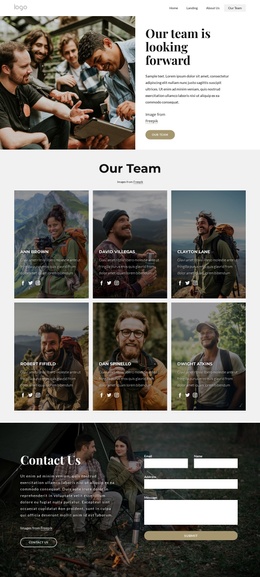
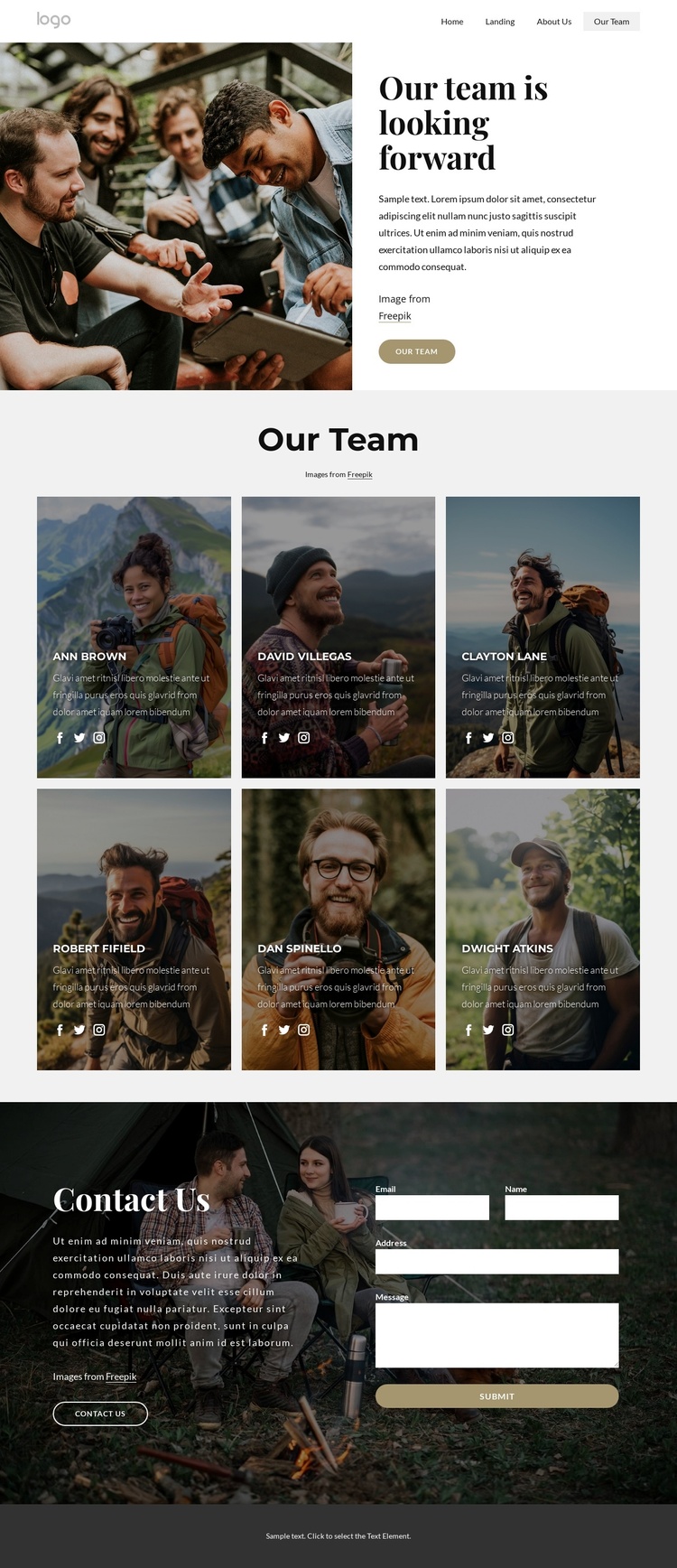
The six profile cards provide the strongest content structure for a CMS-managed Joomla implementation. They repeat the same visual pattern while separating each person into an identifiable information area. Because every card includes a photograph and Facebook, Twitter, and Instagram icons, the section can represent recurring team content without treating the demo names as verified staff records. The repeated arrangement keeps those records visually coordinated as content changes.
Navigation links to Home, Landing, About Us, and Our Team give the design a defined site context beyond the profile grid. The opening split section can introduce the team while the navigation connects it with related site areas. Its large photograph, introductory copy, and Our team button work as a shared entry point, whereas the central grid functions as the structured directory. This distinction helps preserve a clear relationship between site navigation and page content.
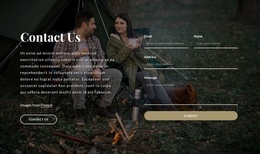
The Contact Us section creates another managed content region. Text and a Contact Us button appear beside a visible form requesting email, name, address, and message, so inquiries are separated from the profile information rather than mixed into the cards. In a Joomla project, the page’s navigation, recurring profile content, social links, and contact area can remain coordinated as editorial regions. The dark footer then supplies a stable closing area without requiring claims about Joomla Articles, modules, or existing CMS assignments.
Customize with Nicepage
Open this ready-made template in the Joomla Page Builder and customize it visually in the Nicepage editor. Replace demo content, edit page sections, and adapt the design to your project without rebuilding the template from scratch.
Work With This Template in Joomla
Customize and Install the Joomla Template
Start with this ready-made template instead of building the Joomla design from scratch. Customize its layout, content, typography, images, sections, and other design elements visually in the Nicepage application, then export and install the Joomla Template, Nicepage Extension, and supported content on your Joomla website.
Edit the Template Directly in Joomla
After installation, you can edit the Joomla Template directly in Joomla with the Nicepage Joomla Extension. Customize the Header, Footer, Colors, Fonts, typography, and Page Templates from the Joomla workflow while keeping the site design connected with your CMS content.
Edit Joomla Articles Visually
Use the Nicepage Joomla Extension to open and edit Joomla Articles visually from the Joomla Administrator. Change text, images, sections, layouts, and other page content in the Nicepage editor while continuing to manage the Articles through Joomla.
Joomla Content and Template Integration
Use the customized template together with Joomla Articles, module Positions, menus, forms, Blog Pages, and other supported CMS elements. With the Nicepage Extension used as the Site Style Source, shared design settings can be applied across Joomla Articles while Joomla continues to provide the CMS environment for managing site content.
This workflow combines a ready-made Joomla Template with visual customization, direct template editing in Joomla, and continued content management through the Nicepage Joomla Extension.