Interior store WordPress Theme


Stable product content pairs with an editorial page message
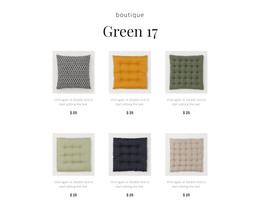
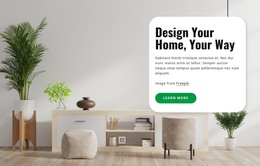
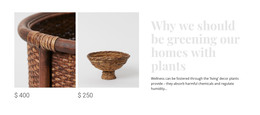
The two woven-basket displays read as stable visual content rather than a time-sensitive stream of entries. They give the section a clear product focus, while the right-side heading and supporting paragraph provide a durable interior message about greening homes with plants, harmful chemicals, and humidity. In a WordPress-managed page, this combination can function as a reusable services-or-products content area within the wider site, with other page sections supplying navigation, additional catalog detail, or contact pathways.
The block’s content model also supports a straightforward editorial relationship: the image group attracts attention to the decorative products, and the text explains the idea that connects them. The white background and open spacing help the section remain visually distinct when placed among other page content, while the pale gray serif heading can align with a broader interior design direction. Because the interaction is static, the section does not rely on a blog feed, filter, or changing content mechanism to communicate its role. It remains one page-content region that can be maintained alongside the surrounding WordPress-managed material without being treated as the entire theme or site.
Customize with Nicepage
Open this ready-made template in the WordPress Website Builder and customize it visually in the Nicepage editor. Replace demo content, edit page sections, and adapt the design to your project without rebuilding the template from scratch.
Edit Template Offline
2. Create a new page or select existing
3. Click Add new block, search for id 89472 and click enter
Edit Template Online
Create Awesome Websites


Free Nicepage Builder
Keywords
Manage and Edit This Theme in WordPress
Customize and Install the WordPress Theme
Start with this ready-made theme instead of building the WordPress design from scratch. Customize its layout, content, typography, images, sections, and other design elements visually in Nicepage editor, then export and install the WordPress Theme, Plugin, and Pages on your WordPress site. The Nicepage WordPress Plugin lets you continue working with the site after installation.
Edit the Theme Directly in WordPress
After installation, you can edit the WordPress Theme directly in WordPress with the Nicepage WordPress Plugin. Use Site Style to customize site Colors, Fonts, Header, Footer, Blog, and Post Page Templates while working within your WordPress website.
Edit WordPress Pages Visually
Use the Nicepage WordPress Plugin to edit page content directly from the WordPress admin area. Open a WordPress Page with Nicepage and visually change its text, images, sections, and other page elements while continuing to manage the Page through WordPress.
WordPress Content and Theme Integration
Use the customized theme with WordPress Pages, Posts, Blog and Post Templates, menus, widgets, and other CMS-managed content. Shared theme elements such as Colors, Fonts, Header, Footer, Blog, and Post Page Templates can be managed as part of the overall site design, while WordPress provides the CMS environment for managing site content.
This workflow combines a ready-made WordPress Theme with visual customization, direct theme editing in WordPress, and continued content management through the Nicepage WordPress Plugin.