Tips to stay hydrated WordPress Theme


Stable Sports Content Around One Athlete-Focused Message
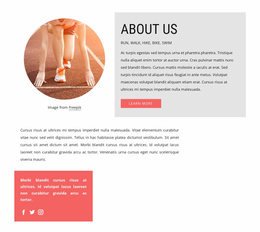
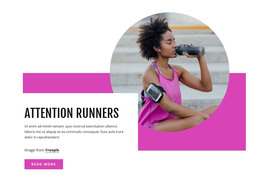
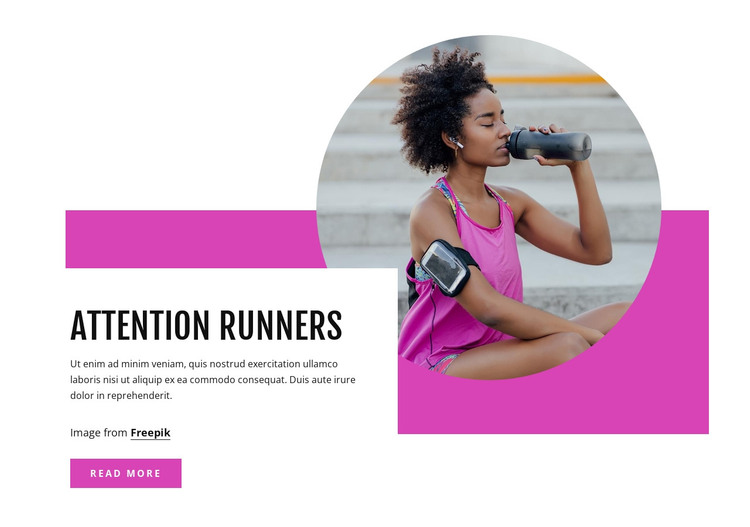
The block’s page content centers on the “Attention Runners” heading and a short explanatory passage, with the circular athlete photograph providing immediate context. The white panel gathers the text, attribution line, and “read more” action into one readable area, while the magenta rectangle acts as a visual support behind the image-and-copy relationship. This gives the section a stable content identity that can remain recognizable when placed among other page sections.
In a WordPress-managed site, the block can serve as permanent informational content for a services, wellness, running, or fitness-oriented page. Its single photograph and single message are more naturally treated as one publishable content region than as a collection of changing entries. The “read more” link can connect this introduction with fuller material elsewhere in the surrounding project, while the block itself continues to provide the visual summary.
The asymmetrical layout also helps distinguish this section from a plain article excerpt or a conventional card row. The image occupies the upper-right emphasis, the text panel anchors the lower-left, and the accent shape unifies the two. That relationship can support a consistent page pattern within a WordPress-oriented design without requiring the section to contain theme-wide navigation, blog structures, or other CMS regions. The result is a focused content component that communicates one sports topic through image, explanation, and a continuation action.
Customize with Nicepage
Open this ready-made template in the WordPress Website Builder and customize it visually in the Nicepage editor. Replace demo content, edit page sections, and adapt the design to your project without rebuilding the template from scratch.
Edit Template Offline
2. Create a new page or select existing
3. Click Add new block, search for id 857809 and click enter
Edit Template Online
Create Awesome Websites


Free Nicepage Builder
Keywords
Manage and Edit This Theme in WordPress
Customize and Install the WordPress Theme
Start with this ready-made theme instead of building the WordPress design from scratch. Customize its layout, content, typography, images, sections, and other design elements visually in Nicepage editor, then export and install the WordPress Theme, Plugin, and Pages on your WordPress site. The Nicepage WordPress Plugin lets you continue working with the site after installation.
Edit the Theme Directly in WordPress
After installation, you can edit the WordPress Theme directly in WordPress with the Nicepage WordPress Plugin. Use Site Style to customize site Colors, Fonts, Header, Footer, Blog, and Post Page Templates while working within your WordPress website.
Edit WordPress Pages Visually
Use the Nicepage WordPress Plugin to edit page content directly from the WordPress admin area. Open a WordPress Page with Nicepage and visually change its text, images, sections, and other page elements while continuing to manage the Page through WordPress.
WordPress Content and Theme Integration
Use the customized theme with WordPress Pages, Posts, Blog and Post Templates, menus, widgets, and other CMS-managed content. Shared theme elements such as Colors, Fonts, Header, Footer, Blog, and Post Page Templates can be managed as part of the overall site design, while WordPress provides the CMS environment for managing site content.
This workflow combines a ready-made WordPress Theme with visual customization, direct theme editing in WordPress, and continued content management through the Nicepage WordPress Plugin.