Help young companies WordPress Theme



Mission Content Anchored by a Portrait and Layered Title Card
The heading and supporting statement read as stable page content for an about or mission section. “We help young companies” gives the area a direct identifying message, while the accompanying statement explains the principles of building products and addressing the environmental crisis. In a WordPress-oriented project, this type of content can remain part of a permanent page while other managed content develops around it. The section communicates a focused idea without needing to function as an entire page.
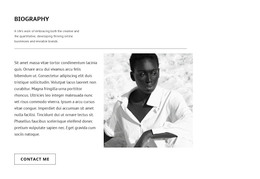
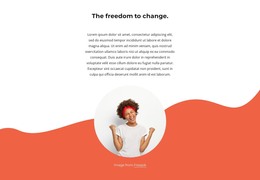
The visual arrangement reinforces the content hierarchy. A large portrait of a woman surrounded by foliage is the dominant image on the left, giving the section an immediate human and environmental emphasis. The supporting statement is placed above and to the right, where it can be read as an explanation rather than an image caption. The white card containing the heading overlaps the lower-right portion of the portrait, binding the title to the visual. Behind the image, a teal rectangular accent adds depth against the dark background, while open space keeps the composition balanced.
As a WordPress-managed content section, the block can provide a consistent visual container for this mission message on a broader page. The content model remains concise and static, making the section suitable for a stable about area rather than a feed of changing entries. The surrounding WordPress project can supply its other pages and content regions while this block preserves its specific heading, statement, portrait, and layered composition.
Customize with Nicepage
Open this ready-made template in the WordPress Website Builder and customize it visually in the Nicepage editor. Replace demo content, edit page sections, and adapt the design to your project without rebuilding the template from scratch.
Edit Template Offline
2. Create a new page or select existing
3. Click Add new block, search for id 67254 and click enter
Edit Template Online
Create Awesome Websites


Free Nicepage Builder
Keywords
Manage and Edit This Theme in WordPress
Customize and Install the WordPress Theme
Start with this ready-made theme instead of building the WordPress design from scratch. Customize its layout, content, typography, images, sections, and other design elements visually in Nicepage editor, then export and install the WordPress Theme, Plugin, and Pages on your WordPress site. The Nicepage WordPress Plugin lets you continue working with the site after installation.
Edit the Theme Directly in WordPress
After installation, you can edit the WordPress Theme directly in WordPress with the Nicepage WordPress Plugin. Use Site Style to customize site Colors, Fonts, Header, Footer, Blog, and Post Page Templates while working within your WordPress website.
Edit WordPress Pages Visually
Use the Nicepage WordPress Plugin to edit page content directly from the WordPress admin area. Open a WordPress Page with Nicepage and visually change its text, images, sections, and other page elements while continuing to manage the Page through WordPress.
WordPress Content and Theme Integration
Use the customized theme with WordPress Pages, Posts, Blog and Post Templates, menus, widgets, and other CMS-managed content. Shared theme elements such as Colors, Fonts, Header, Footer, Blog, and Post Page Templates can be managed as part of the overall site design, while WordPress provides the CMS environment for managing site content.
This workflow combines a ready-made WordPress Theme with visual customization, direct theme editing in WordPress, and continued content management through the Nicepage WordPress Plugin.