Invest smart journal WordPress Theme


Image-Led Article Cards Fit Stable WordPress Page Content
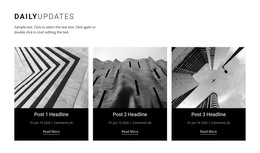
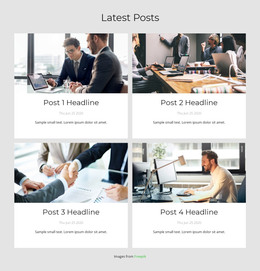
The four repeated cards read as a durable content area for a WordPress-managed page because each one presents a concise article preview rather than a one-time campaign message. Featured images provide visual entry, centered titles identify the subjects, and publication dates add a recognizable editorial detail. The collection covers financial life management, finding a trusted advisor, retirement investing, and investment strategies, giving the section a coherent topic range under the “Latest Posts” heading.
The two-column grid keeps the content organized as four comparable units, while the pale lavender background and white cards make the section easy to distinguish from neighboring page material. Dark bold typography supports the hierarchy between the section heading, article titles, and dates without requiring a complex interaction; the confirmed presentation is static. In a WordPress-oriented project, this block can serve as a stable insights or blog-content region while the wider site manages other page content around it. The section’s reusable value comes from its clear card model and consistent visual treatment, allowing related articles to be presented together without changing the established relationship between image, title, and date.
Customize with Nicepage
Open this ready-made template in the WordPress Website Builder and customize it visually in the Nicepage editor. Replace demo content, edit page sections, and adapt the design to your project without rebuilding the template from scratch.
Edit Template Offline
2. Create a new page or select existing
3. Click Add new block, search for id 6546573 and click enter
Edit Template Online
Create Awesome Websites


Free Nicepage Builder
Keywords
Manage and Edit This Theme in WordPress
Customize and Install the WordPress Theme
Start with this ready-made theme instead of building the WordPress design from scratch. Customize its layout, content, typography, images, sections, and other design elements visually in Nicepage editor, then export and install the WordPress Theme, Plugin, and Pages on your WordPress site. The Nicepage WordPress Plugin lets you continue working with the site after installation.
Edit the Theme Directly in WordPress
After installation, you can edit the WordPress Theme directly in WordPress with the Nicepage WordPress Plugin. Use Site Style to customize site Colors, Fonts, Header, Footer, Blog, and Post Page Templates while working within your WordPress website.
Edit WordPress Pages Visually
Use the Nicepage WordPress Plugin to edit page content directly from the WordPress admin area. Open a WordPress Page with Nicepage and visually change its text, images, sections, and other page elements while continuing to manage the Page through WordPress.
WordPress Content and Theme Integration
Use the customized theme with WordPress Pages, Posts, Blog and Post Templates, menus, widgets, and other CMS-managed content. Shared theme elements such as Colors, Fonts, Header, Footer, Blog, and Post Page Templates can be managed as part of the overall site design, while WordPress provides the CMS environment for managing site content.
This workflow combines a ready-made WordPress Theme with visual customization, direct theme editing in WordPress, and continued content management through the Nicepage WordPress Plugin.