Geography quiz WordPress Theme


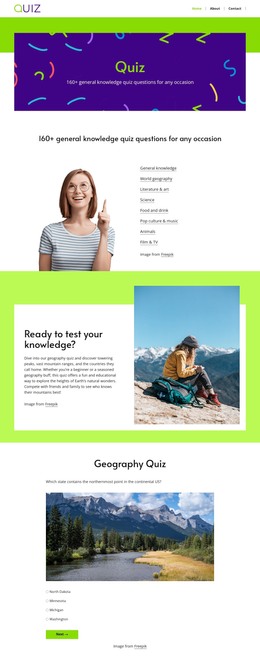
Interactive Quiz Content Fits a Structured WordPress Page
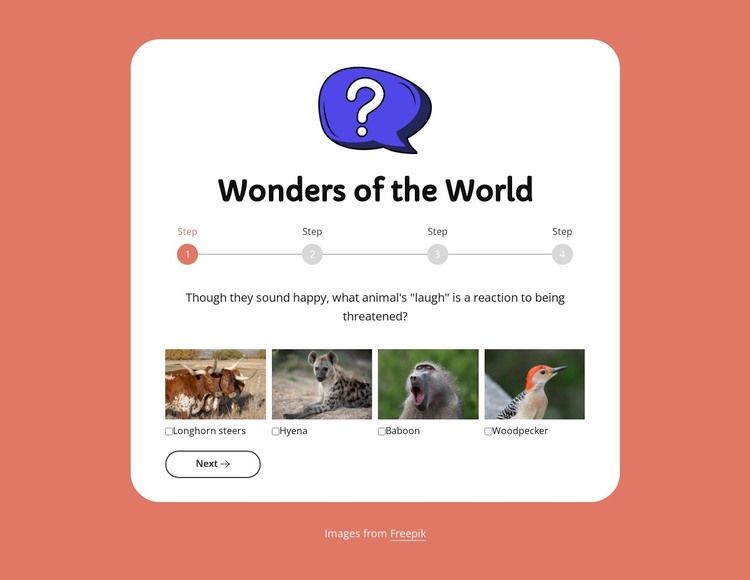
The heading, illustration, four-step indicator, questions, answer groups, and navigation controls form stable page content around one clear subject: a “Wonders of the World” quiz. The first question uses four image-based choices—Longhorn steers, Hyena, Baboon, and Woodpecker—while later stages use radio-button answers. Next and Back establish movement through the sequence, and Submit provides its response endpoint. These relationships make the block suitable for a page that needs a participatory content area rather than only descriptive text.
In a WordPress-oriented project, the quiz can occupy one reusable visual section within a broader page while surrounding content handles introductions, learning resources, results, or related topics. The centered white card keeps the interaction visually bounded, and the coral outer area can be coordinated with the page’s wider style. The four-step progress line also makes the section’s status visible, which helps the quiz read as a contained activity when placed among other page sections.
The WordPress context concerns how this content participates in a managed page, not a claim that CMS-specific posts, categories, or other structures are already inside the block. Its concrete value remains the quiz arrangement: image selection at the first stage, radio answers afterward, and explicit navigation through four steps. That stable section can be maintained alongside the broader site’s other publishable content and design decisions.
Customize with Nicepage
Open this ready-made template in the WordPress Website Builder and customize it visually in the Nicepage editor. Replace demo content, edit page sections, and adapt the design to your project without rebuilding the template from scratch.
Edit Template Offline
2. Create a new page or select existing
3. Click Add new block, search for id 6534721 and click enter
Edit Template Online
Create Awesome Websites


Free Nicepage Builder
Keywords
Manage and Edit This Theme in WordPress
Customize and Install the WordPress Theme
Start with this ready-made theme instead of building the WordPress design from scratch. Customize its layout, content, typography, images, sections, and other design elements visually in Nicepage editor, then export and install the WordPress Theme, Plugin, and Pages on your WordPress site. The Nicepage WordPress Plugin lets you continue working with the site after installation.
Edit the Theme Directly in WordPress
After installation, you can edit the WordPress Theme directly in WordPress with the Nicepage WordPress Plugin. Use Site Style to customize site Colors, Fonts, Header, Footer, Blog, and Post Page Templates while working within your WordPress website.
Edit WordPress Pages Visually
Use the Nicepage WordPress Plugin to edit page content directly from the WordPress admin area. Open a WordPress Page with Nicepage and visually change its text, images, sections, and other page elements while continuing to manage the Page through WordPress.
WordPress Content and Theme Integration
Use the customized theme with WordPress Pages, Posts, Blog and Post Templates, menus, widgets, and other CMS-managed content. Shared theme elements such as Colors, Fonts, Header, Footer, Blog, and Post Page Templates can be managed as part of the overall site design, while WordPress provides the CMS environment for managing site content.
This workflow combines a ready-made WordPress Theme with visual customization, direct theme editing in WordPress, and continued content management through the Nicepage WordPress Plugin.