Check the big sale WordPress Theme


The Sale Message Works as a Stable WordPress Page Section
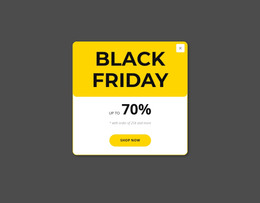
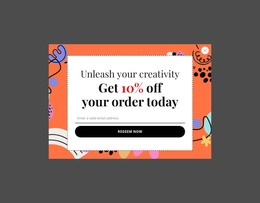
The block’s content reads as a compact promotional area that can be placed within a WordPress-managed page. “Check website” introduces the message, the “Sale” heading identifies its subject, and the “30-50%” value supplies the central promotional detail. Keeping these elements inside one white card makes the offer visually self-contained, while the thin yellow border and yellow discount treatment reinforce its hierarchy.
The colorful abstract brushstroke background gives the section a strong presentation layer without changing the underlying content role. That separation allows the promotional wording to remain readable and recognizable when the surrounding page contains other sections. In a WordPress-oriented project, the sale area could sit beside stable product, campaign, or informational content, while the broader page determines how visitors reach the destination suggested by the prompt.
The block should be understood as page content within a wider theme and site environment, not as the theme itself. Its static interaction keeps the message available without depending on a carousel or expandable control. If the promotion changes, the text, discount, card styling, or background treatment can be revised as content and design decisions for this section, while unrelated WordPress-managed areas remain separate. This makes the block suitable for a focused promotional region within a publishable page.
Customize with Nicepage
Open this ready-made template in the WordPress Website Builder and customize it visually in the Nicepage editor. Replace demo content, edit page sections, and adapt the design to your project without rebuilding the template from scratch.
Edit Template Offline
2. Create a new page or select existing
3. Click Add new block, search for id 63364 and click enter
Edit Template Online
Create Awesome Websites


Free Nicepage Builder
Keywords
Manage and Edit This Theme in WordPress
Customize and Install the WordPress Theme
Start with this ready-made theme instead of building the WordPress design from scratch. Customize its layout, content, typography, images, sections, and other design elements visually in Nicepage editor, then export and install the WordPress Theme, Plugin, and Pages on your WordPress site. The Nicepage WordPress Plugin lets you continue working with the site after installation.
Edit the Theme Directly in WordPress
After installation, you can edit the WordPress Theme directly in WordPress with the Nicepage WordPress Plugin. Use Site Style to customize site Colors, Fonts, Header, Footer, Blog, and Post Page Templates while working within your WordPress website.
Edit WordPress Pages Visually
Use the Nicepage WordPress Plugin to edit page content directly from the WordPress admin area. Open a WordPress Page with Nicepage and visually change its text, images, sections, and other page elements while continuing to manage the Page through WordPress.
WordPress Content and Theme Integration
Use the customized theme with WordPress Pages, Posts, Blog and Post Templates, menus, widgets, and other CMS-managed content. Shared theme elements such as Colors, Fonts, Header, Footer, Blog, and Post Page Templates can be managed as part of the overall site design, while WordPress provides the CMS environment for managing site content.
This workflow combines a ready-made WordPress Theme with visual customization, direct theme editing in WordPress, and continued content management through the Nicepage WordPress Plugin.