Independent Bookshop Online Store WordPress Theme


Edit Template Offline
2. Create new page and search for id 6666297
Edit Template Online
Create Awesome Websites


Free Nicepage Builder
Keywords
Permanent Store Content and Repeated Book Entries Share One Visual System
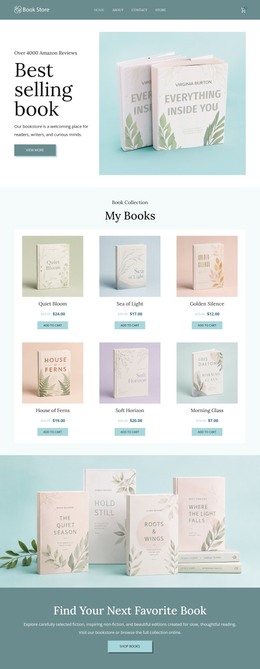
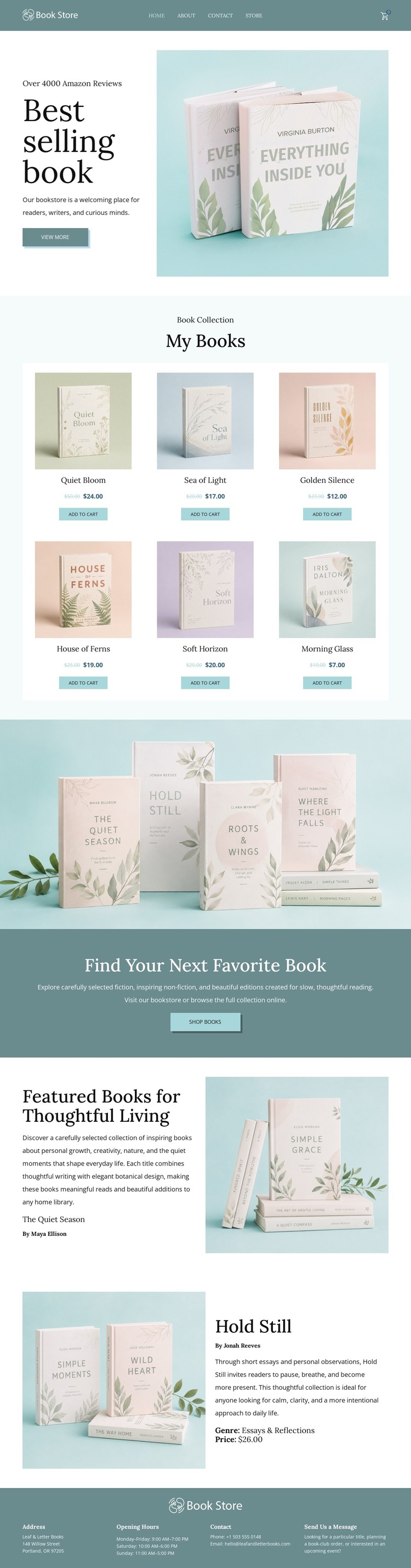
The six cards in the My Books collection provide a strong basis for interpreting the page as managed bookstore content. Each card presents a book with a price and Add to cart action, creating a repeated relationship that can remain consistent as the site's product information changes. Navigation and the Best selling books hero provide the page-oriented entry point, while the Shop books action connects the opening message with the collection rather than treating the hero as isolated advertising.
The featured section supports a different content role. The Quiet Season and Hold Still are each given an image-and-text presentation, with alternating placement that distinguishes selected titles from the denser product cards. This makes the design suitable for combining permanent bookstore information with additional editorial or recommendation content, without asserting that a blog, post list, or category structure already exists. The full-width book photograph and teal promotional band add reusable visual areas for campaign or collection messaging.
The footer supplies shared site information through bookstore identity, address, opening hours, contact information, and additional details. Those areas can remain visually connected to the page content as the project grows. In a WordPress environment, the design therefore offers a clear relationship between page content, repeated book entries, selected editorial presentations, navigation, and shared store information. The emphasis is on maintaining one recognizable theme direction around changing content, not on replacing the verified structure with unsupported CMS elements.
Customize with Nicepage
Open this ready-made template in the WordPress Website Builder and customize it visually in the Nicepage editor. Replace demo content, edit page sections, and adapt the design to your project without rebuilding the template from scratch.
Manage and Edit This Theme in WordPress
Customize and Install the WordPress Theme
Start with this ready-made theme instead of building the WordPress design from scratch. Customize its layout, content, typography, images, sections, and other design elements visually in Nicepage editor, then export and install the WordPress Theme, Plugin, and Pages on your WordPress site. The Nicepage WordPress Plugin lets you continue working with the site after installation.
Edit the Theme Directly in WordPress
After installation, you can edit the WordPress Theme directly in WordPress with the Nicepage WordPress Plugin. Use Site Style to customize site Colors, Fonts, Header, Footer, Blog, and Post Page Templates while working within your WordPress website.
Edit WordPress Pages Visually
Use the Nicepage WordPress Plugin to edit page content directly from the WordPress admin area. Open a WordPress Page with Nicepage and visually change its text, images, sections, and other page elements while continuing to manage the Page through WordPress.
WordPress Content and Theme Integration
Use the customized theme with WordPress Pages, Posts, Blog and Post Templates, menus, widgets, and other CMS-managed content. Shared theme elements such as Colors, Fonts, Header, Footer, Blog, and Post Page Templates can be managed as part of the overall site design, while WordPress provides the CMS environment for managing site content.
This workflow combines a ready-made WordPress Theme with visual customization, direct theme editing in WordPress, and continued content management through the Nicepage WordPress Plugin.