Cyber monday banner WordPress Theme


Stable Campaign Content for a WordPress Page
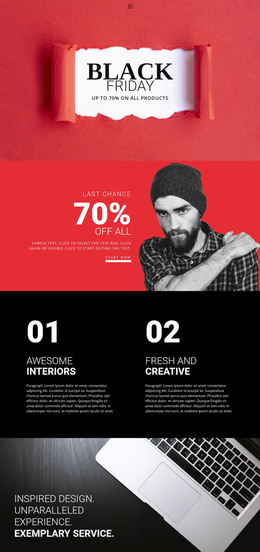
The block's content is organized around one durable promotional message. The limited-discounts label introduces the campaign, the Cyber Monday heading identifies it, and the displayed Happy50 code gives the section a specific offer reference. The free-shipping online-offer line adds supporting purchase information, while the rounded Shop Now button provides the visible action. This makes the section suitable for a WordPress-managed page where a seasonal promotion needs to remain visually consistent with the surrounding design.
Its centered vertical structure also keeps the content area easy to distinguish from other page material. The dark photographic background provides the section's visual field, white typography carries the message, and red accents connect the offer emphasis with the action treatment. In a WordPress-oriented project, the block can serve as one publishable page section while product information, additional promotions, or other site content are managed elsewhere. The displayed code and shipping wording belong to the section's presented campaign content; the broader project determines the destination and commerce experience behind the button. The block contributes a reusable visual/content region rather than functioning as a complete theme or site.
Customize with Nicepage
Open this ready-made template in the WordPress Website Builder and customize it visually in the Nicepage editor. Replace demo content, edit page sections, and adapt the design to your project without rebuilding the template from scratch.
Edit Template Offline
2. Create a new page or select existing
3. Click Add new block, search for id 3381400 and click enter
Edit Template Online
Create Awesome Websites


Free Nicepage Builder
Keywords
Manage and Edit This Theme in WordPress
Customize and Install the WordPress Theme
Start with this ready-made theme instead of building the WordPress design from scratch. Customize its layout, content, typography, images, sections, and other design elements visually in Nicepage editor, then export and install the WordPress Theme, Plugin, and Pages on your WordPress site. The Nicepage WordPress Plugin lets you continue working with the site after installation.
Edit the Theme Directly in WordPress
After installation, you can edit the WordPress Theme directly in WordPress with the Nicepage WordPress Plugin. Use Site Style to customize site Colors, Fonts, Header, Footer, Blog, and Post Page Templates while working within your WordPress website.
Edit WordPress Pages Visually
Use the Nicepage WordPress Plugin to edit page content directly from the WordPress admin area. Open a WordPress Page with Nicepage and visually change its text, images, sections, and other page elements while continuing to manage the Page through WordPress.
WordPress Content and Theme Integration
Use the customized theme with WordPress Pages, Posts, Blog and Post Templates, menus, widgets, and other CMS-managed content. Shared theme elements such as Colors, Fonts, Header, Footer, Blog, and Post Page Templates can be managed as part of the overall site design, while WordPress provides the CMS environment for managing site content.
This workflow combines a ready-made WordPress Theme with visual customization, direct theme editing in WordPress, and continued content management through the Nicepage WordPress Plugin.