Transforming Trends into Art WordPress Theme


Contact Details Become Stable Photography Page Content
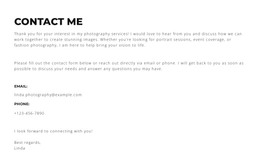
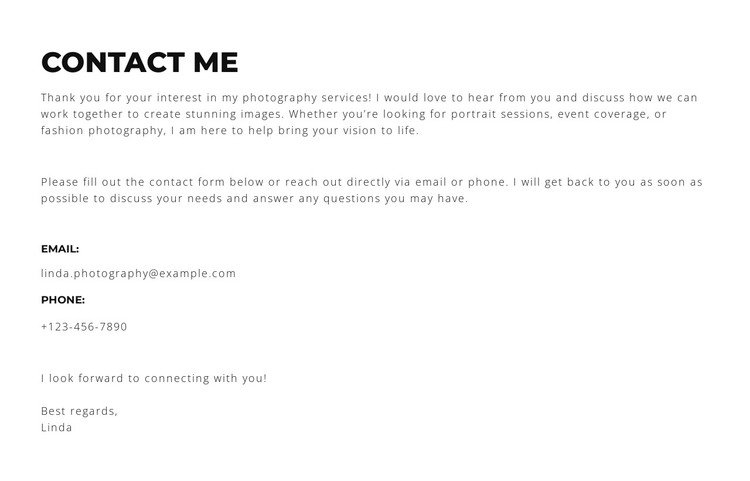
The contact heading and service references make this section suitable for permanent page content in a WordPress-managed photography site. The opening paragraph identifies the surrounding offer through portrait sessions, event coverage, and fashion photography, while the following instruction gives visitors a reason to use the contact details. That sequence matters: the email and phone information appears after the context, so the reader understands what an inquiry can concern before choosing a communication route.
The content is organized as a static, left-aligned column. A bold uppercase heading introduces the region, smaller widely spaced text carries the explanation, and labeled email and phone lines provide two direct contact points. The closing “Best regards” and “Linda” signature adds a personal conclusion without introducing a form, booking control, or other interaction. Generous vertical spacing keeps each content group distinct and supports quick scanning.
For a WordPress-oriented project, the block can function as a stable contact section on a services or portfolio page while other CMS-managed content develops around it. The section’s white background, black text, and thin top and bottom borders provide a contained visual pattern that can sit beside or below other page content. Its role is therefore focused and reusable: it presents photography inquiry information rather than attempting to represent the whole WordPress theme or site.
Customize with Nicepage
Open this ready-made template in the WordPress Website Builder and customize it visually in the Nicepage editor. Replace demo content, edit page sections, and adapt the design to your project without rebuilding the template from scratch.
Edit Template Offline
2. Create a new page or select existing
3. Click Add new block, search for id 6294356 and click enter
Edit Template Online
Create Awesome Websites


Free Nicepage Builder
Keywords
Manage and Edit This Theme in WordPress
Customize and Install the WordPress Theme
Start with this ready-made theme instead of building the WordPress design from scratch. Customize its layout, content, typography, images, sections, and other design elements visually in Nicepage editor, then export and install the WordPress Theme, Plugin, and Pages on your WordPress site. The Nicepage WordPress Plugin lets you continue working with the site after installation.
Edit the Theme Directly in WordPress
After installation, you can edit the WordPress Theme directly in WordPress with the Nicepage WordPress Plugin. Use Site Style to customize site Colors, Fonts, Header, Footer, Blog, and Post Page Templates while working within your WordPress website.
Edit WordPress Pages Visually
Use the Nicepage WordPress Plugin to edit page content directly from the WordPress admin area. Open a WordPress Page with Nicepage and visually change its text, images, sections, and other page elements while continuing to manage the Page through WordPress.
WordPress Content and Theme Integration
Use the customized theme with WordPress Pages, Posts, Blog and Post Templates, menus, widgets, and other CMS-managed content. Shared theme elements such as Colors, Fonts, Header, Footer, Blog, and Post Page Templates can be managed as part of the overall site design, while WordPress provides the CMS environment for managing site content.
This workflow combines a ready-made WordPress Theme with visual customization, direct theme editing in WordPress, and continued content management through the Nicepage WordPress Plugin.