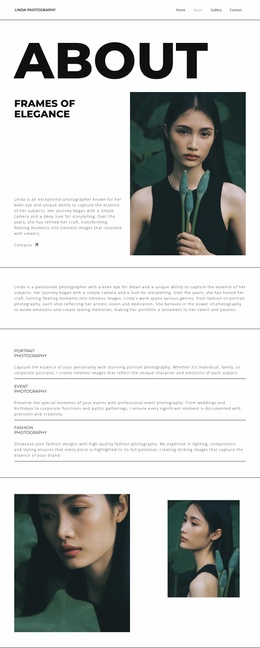
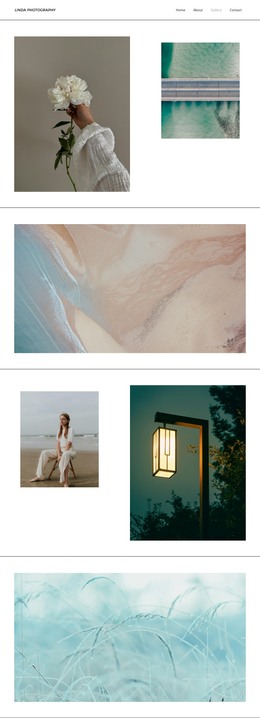
The Intersection of Fashion WordPress Theme


Stable Newsletter Content for a WordPress-Managed Page
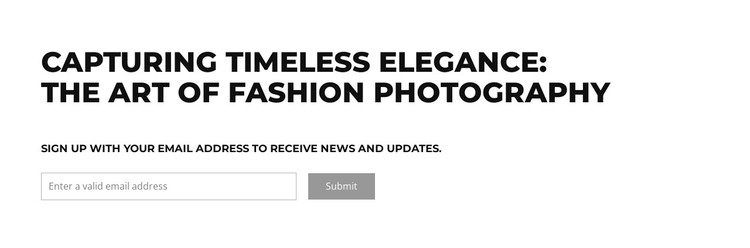
The heading and supporting message read as durable page content rather than a temporary list of posts. “Capturing Timeless Elegance: The Art of Fashion Photography” establishes the subject, and the request to sign up for news and updates gives the section a continuing communication role. The block therefore fits naturally as a newsletter or audience-update area within a WordPress-managed page, while other content regions handle the rest of the fashion photography presentation.
Its form keeps the response path simple. One email field with a thin border sits beside a muted gray Submit button, so the visitor can identify both the required input and the next action at a glance. The black uppercase typography creates the strongest visual emphasis, while the white background and generous whitespace keep the form from feeling crowded. Left alignment ties the message and controls into one coherent page section.
For a WordPress-oriented project, this block can preserve that stable content relationship as the surrounding site evolves. It may sit near photography features, portfolio material, or editorial introductions without becoming a complete theme or site on its own. The section’s practical value comes from making the subject and subscription invitation visually inseparable: the visitor understands why updates are offered before reaching the email response control.
Customize with Nicepage
Open this ready-made template in the WordPress Website Builder and customize it visually in the Nicepage editor. Replace demo content, edit page sections, and adapt the design to your project without rebuilding the template from scratch.
Edit Template Offline
2. Create a new page or select existing
3. Click Add new block, search for id 6294345 and click enter
Edit Template Online
Create Awesome Websites


Free Nicepage Builder
Keywords
Manage and Edit This Theme in WordPress
Customize and Install the WordPress Theme
Start with this ready-made theme instead of building the WordPress design from scratch. Customize its layout, content, typography, images, sections, and other design elements visually in Nicepage editor, then export and install the WordPress Theme, Plugin, and Pages on your WordPress site. The Nicepage WordPress Plugin lets you continue working with the site after installation.
Edit the Theme Directly in WordPress
After installation, you can edit the WordPress Theme directly in WordPress with the Nicepage WordPress Plugin. Use Site Style to customize site Colors, Fonts, Header, Footer, Blog, and Post Page Templates while working within your WordPress website.
Edit WordPress Pages Visually
Use the Nicepage WordPress Plugin to edit page content directly from the WordPress admin area. Open a WordPress Page with Nicepage and visually change its text, images, sections, and other page elements while continuing to manage the Page through WordPress.
WordPress Content and Theme Integration
Use the customized theme with WordPress Pages, Posts, Blog and Post Templates, menus, widgets, and other CMS-managed content. Shared theme elements such as Colors, Fonts, Header, Footer, Blog, and Post Page Templates can be managed as part of the overall site design, while WordPress provides the CMS environment for managing site content.
This workflow combines a ready-made WordPress Theme with visual customization, direct theme editing in WordPress, and continued content management through the Nicepage WordPress Plugin.