From experience to prototype WordPress Theme



A five-part service message for WordPress page content
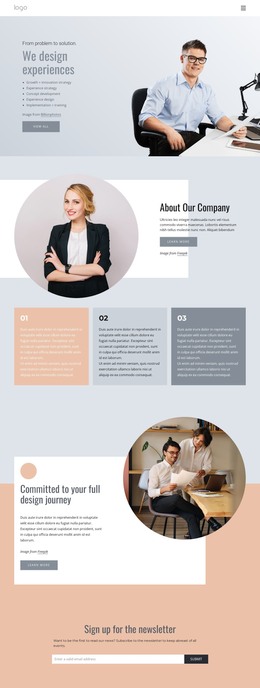
The phrase “From problem to solution.” introduces the section’s direction, and “We design experiences” turns that direction into a concise page message. Five service areas then give the content a practical structure: growth and innovation strategy, experience strategy, concept development, experience design, and implementation and training. Instead of presenting one dense paragraph, the block separates the offering into scan-friendly lines, with the “view all” CTA providing a route to fuller information beyond this section.
Within a WordPress-managed project, this arrangement can function as stable page content for a services or consulting page. Its emphasis is on a durable overview that can remain visually consistent while the broader site adds case studies, editorial content, company information, or contact areas. The five-item list reads as publishable service information, while the CTA can connect this concise introduction with a more detailed destination in the surrounding project.
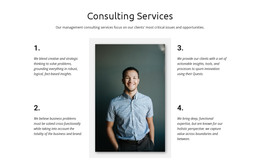
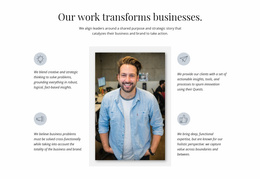
The image-text relationship strengthens the page section without changing its content role. Left-aligned text keeps the heading and service areas easy to scan, and the large workplace photograph on the right provides a visual counterweight. The pale blue-gray background, muted blue-gray type, and peach accent distinguish the action link without overwhelming the message. This makes the block a recognizable WordPress page region rather than a complete theme or site structure.
Customize with Nicepage
Open this ready-made template in the WordPress Website Builder and customize it visually in the Nicepage editor. Replace demo content, edit page sections, and adapt the design to your project without rebuilding the template from scratch.
Edit Template Offline
2. Create a new page or select existing
3. Click Add new block, search for id 61223 and click enter
Edit Template Online
Create Awesome Websites


Free Nicepage Builder
Keywords
Manage and Edit This Theme in WordPress
Customize and Install the WordPress Theme
Start with this ready-made theme instead of building the WordPress design from scratch. Customize its layout, content, typography, images, sections, and other design elements visually in Nicepage editor, then export and install the WordPress Theme, Plugin, and Pages on your WordPress site. The Nicepage WordPress Plugin lets you continue working with the site after installation.
Edit the Theme Directly in WordPress
After installation, you can edit the WordPress Theme directly in WordPress with the Nicepage WordPress Plugin. Use Site Style to customize site Colors, Fonts, Header, Footer, Blog, and Post Page Templates while working within your WordPress website.
Edit WordPress Pages Visually
Use the Nicepage WordPress Plugin to edit page content directly from the WordPress admin area. Open a WordPress Page with Nicepage and visually change its text, images, sections, and other page elements while continuing to manage the Page through WordPress.
WordPress Content and Theme Integration
Use the customized theme with WordPress Pages, Posts, Blog and Post Templates, menus, widgets, and other CMS-managed content. Shared theme elements such as Colors, Fonts, Header, Footer, Blog, and Post Page Templates can be managed as part of the overall site design, while WordPress provides the CMS environment for managing site content.
This workflow combines a ready-made WordPress Theme with visual customization, direct theme editing in WordPress, and continued content management through the Nicepage WordPress Plugin.