Comprehensive consulting services WordPress Theme


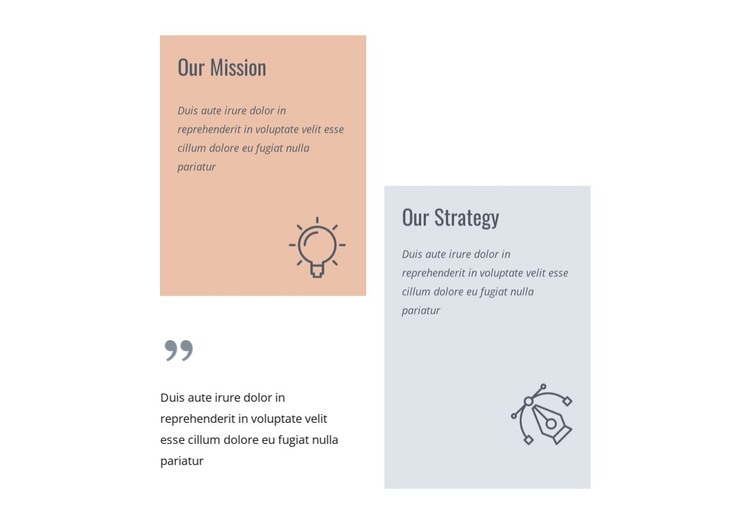
Paired organizational statements suit stable WordPress page content
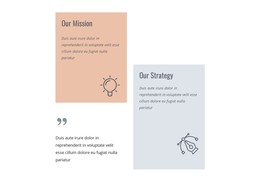
The block’s content is organized around two durable subjects: “Our Mission” and “Our Strategy.” The mission statement is visually framed by a peach card and lightbulb graphic, giving the left side a clear identity. The strategy statement uses a pale blue-gray card and abstract line-art icon, creating a separate content cue on the right. These treatments make the two statements easy to distinguish without relying on tabs, sliders, or other interaction.
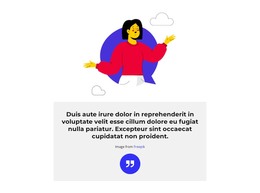
Three supporting paragraphs provide space for the explanatory layer. One paragraph sits in the lower-left area beside a quotation mark graphic, extending the mission side below its card. The remaining text supports the paired statement structure, while the staggered two-column layout prevents the section from reading like a flat sequence of identical panels. Dark condensed headings and italic text help separate titles from longer copy on the white canvas.
In a WordPress-managed page, the section can function as stable organizational content within a wider visual design. It may support an About or company-information context while other page areas carry navigation, services, proof, or contact functions. The reusable value lies in its clear content grouping: two named statements, differentiated card backgrounds, three supporting paragraphs, and decorative icons arranged into one coherent page section.
Customize with Nicepage
Open this ready-made template in the WordPress Website Builder and customize it visually in the Nicepage editor. Replace demo content, edit page sections, and adapt the design to your project without rebuilding the template from scratch.
Edit Template Offline
2. Create a new page or select existing
3. Click Add new block, search for id 6236603 and click enter
Edit Template Online
Create Awesome Websites


Free Nicepage Builder
Keywords
Manage and Edit This Theme in WordPress
Customize and Install the WordPress Theme
Start with this ready-made theme instead of building the WordPress design from scratch. Customize its layout, content, typography, images, sections, and other design elements visually in Nicepage editor, then export and install the WordPress Theme, Plugin, and Pages on your WordPress site. The Nicepage WordPress Plugin lets you continue working with the site after installation.
Edit the Theme Directly in WordPress
After installation, you can edit the WordPress Theme directly in WordPress with the Nicepage WordPress Plugin. Use Site Style to customize site Colors, Fonts, Header, Footer, Blog, and Post Page Templates while working within your WordPress website.
Edit WordPress Pages Visually
Use the Nicepage WordPress Plugin to edit page content directly from the WordPress admin area. Open a WordPress Page with Nicepage and visually change its text, images, sections, and other page elements while continuing to manage the Page through WordPress.
WordPress Content and Theme Integration
Use the customized theme with WordPress Pages, Posts, Blog and Post Templates, menus, widgets, and other CMS-managed content. Shared theme elements such as Colors, Fonts, Header, Footer, Blog, and Post Page Templates can be managed as part of the overall site design, while WordPress provides the CMS environment for managing site content.
This workflow combines a ready-made WordPress Theme with visual customization, direct theme editing in WordPress, and continued content management through the Nicepage WordPress Plugin.