Member at Congress party WordPress Theme


The Quote and Portrait Form Stable Page Content
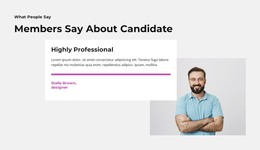
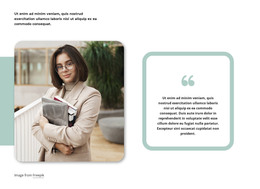
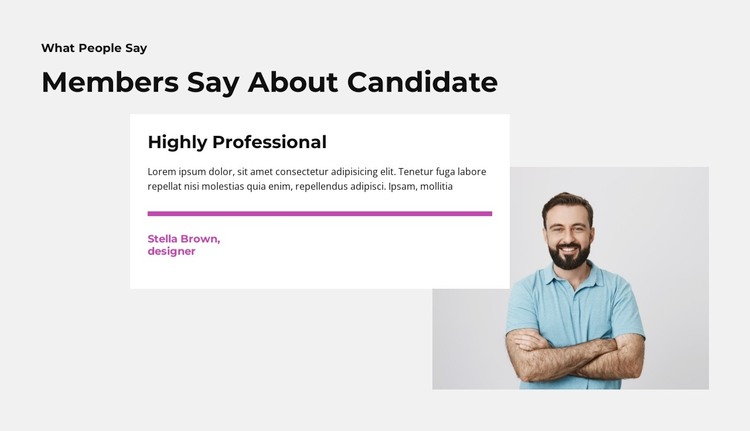
The heading structure gives this section a clear page-content role before the testimonial details begin. “What People Say” introduces the subject, and “Members Say About Candidate” narrows the focus to endorsements. The single white card then presents “Highly Professional,” a quote paragraph, an accent-colored horizontal divider, and attribution content. Beside it, the portrait of a smiling man with folded arms provides a supporting visual identity, while the overlap between image and card ties the two content areas together.
In a WordPress-oriented project, this arrangement can function as a stable testimonial section on a profile, campaign, or professional-information page. The block’s content is organized around one featured endorsement rather than a stream of time-sensitive entries, so it can remain visually consistent while the wider site manages other page content. The portrait and quote should continue to be treated as coordinated parts of this section, not as separate page-level features.
The block can also preserve a distinctive presentation when placed among other CMS-managed sections. A surrounding page may provide biography, services, or contact information, while this component contributes a concentrated proof message. Its light gray background, white card, magenta-style accent treatment, and bold dark headings give the testimonial a recognizable visual boundary. That makes the section suitable for reuse wherever the project needs one prominent endorsement without turning the block itself into a complete WordPress theme or site.
Customize with Nicepage
Open this ready-made template in the WordPress Website Builder and customize it visually in the Nicepage editor. Replace demo content, edit page sections, and adapt the design to your project without rebuilding the template from scratch.
Edit Template Offline
2. Create a new page or select existing
3. Click Add new block, search for id 5892963 and click enter
Edit Template Online
Create Awesome Websites


Free Nicepage Builder
Keywords
Manage and Edit This Theme in WordPress
Customize and Install the WordPress Theme
Start with this ready-made theme instead of building the WordPress design from scratch. Customize its layout, content, typography, images, sections, and other design elements visually in Nicepage editor, then export and install the WordPress Theme, Plugin, and Pages on your WordPress site. The Nicepage WordPress Plugin lets you continue working with the site after installation.
Edit the Theme Directly in WordPress
After installation, you can edit the WordPress Theme directly in WordPress with the Nicepage WordPress Plugin. Use Site Style to customize site Colors, Fonts, Header, Footer, Blog, and Post Page Templates while working within your WordPress website.
Edit WordPress Pages Visually
Use the Nicepage WordPress Plugin to edit page content directly from the WordPress admin area. Open a WordPress Page with Nicepage and visually change its text, images, sections, and other page elements while continuing to manage the Page through WordPress.
WordPress Content and Theme Integration
Use the customized theme with WordPress Pages, Posts, Blog and Post Templates, menus, widgets, and other CMS-managed content. Shared theme elements such as Colors, Fonts, Header, Footer, Blog, and Post Page Templates can be managed as part of the overall site design, while WordPress provides the CMS environment for managing site content.
This workflow combines a ready-made WordPress Theme with visual customization, direct theme editing in WordPress, and continued content management through the Nicepage WordPress Plugin.