Let's Change The Nation WordPress Theme


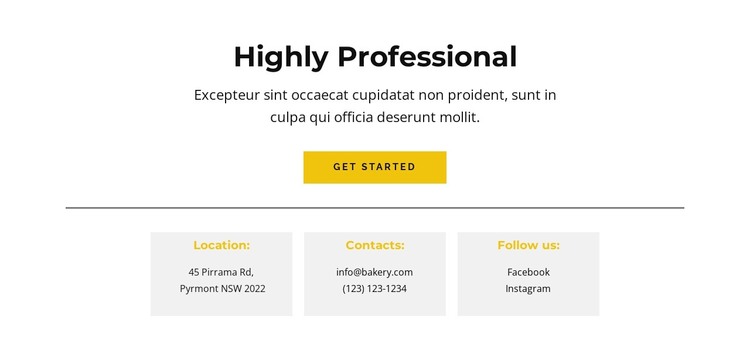
A CTA Leads Into Stable Contact Information
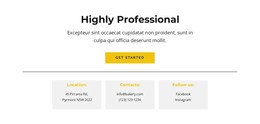
The opening heading and supporting paragraph frame the section as an invitation to connect, with the Get Started button providing a visible response point before the details. After a thin horizontal divider, three evenly spaced cards turn the remaining content into a compact contact area. This progression is useful for WordPress-managed page content because the section can present a stable contact role without carrying the rest of the page.
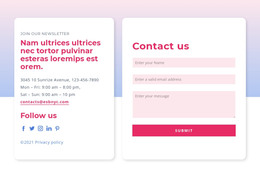
The three labels—Location, Contacts, and Follow us—give the information a simple publishing structure. Location separates address material from the other channels. Contacts groups an email address and phone number in one direct-contact area. Follow us provides a dedicated place for Facebook and Instagram links. The repeated card format keeps these groups visually consistent, while the labels help visitors find the channel relevant to their need.
The white background, black centered typography, yellow accents, and light-gray card surfaces provide a defined presentation that can sit within a broader WordPress page design. The block's static behavior keeps attention on the readable details and the button rather than on changing content. Other page sections can handle introductions, services, or additional responses, while this reusable block retains its focused role as a contact-information region.
Customize with Nicepage
Open this ready-made template in the WordPress Website Builder and customize it visually in the Nicepage editor. Replace demo content, edit page sections, and adapt the design to your project without rebuilding the template from scratch.
Edit Template Offline
2. Create a new page or select existing
3. Click Add new block, search for id 5893154 and click enter
Edit Template Online
Create Awesome Websites


Free Nicepage Builder
Keywords
Manage and Edit This Theme in WordPress
Customize and Install the WordPress Theme
Start with this ready-made theme instead of building the WordPress design from scratch. Customize its layout, content, typography, images, sections, and other design elements visually in Nicepage editor, then export and install the WordPress Theme, Plugin, and Pages on your WordPress site. The Nicepage WordPress Plugin lets you continue working with the site after installation.
Edit the Theme Directly in WordPress
After installation, you can edit the WordPress Theme directly in WordPress with the Nicepage WordPress Plugin. Use Site Style to customize site Colors, Fonts, Header, Footer, Blog, and Post Page Templates while working within your WordPress website.
Edit WordPress Pages Visually
Use the Nicepage WordPress Plugin to edit page content directly from the WordPress admin area. Open a WordPress Page with Nicepage and visually change its text, images, sections, and other page elements while continuing to manage the Page through WordPress.
WordPress Content and Theme Integration
Use the customized theme with WordPress Pages, Posts, Blog and Post Templates, menus, widgets, and other CMS-managed content. Shared theme elements such as Colors, Fonts, Header, Footer, Blog, and Post Page Templates can be managed as part of the overall site design, while WordPress provides the CMS environment for managing site content.
This workflow combines a ready-made WordPress Theme with visual customization, direct theme editing in WordPress, and continued content management through the Nicepage WordPress Plugin.