Custom textiles and wallpaper WordPress Theme


A Visual Interior Section for WordPress Page Content
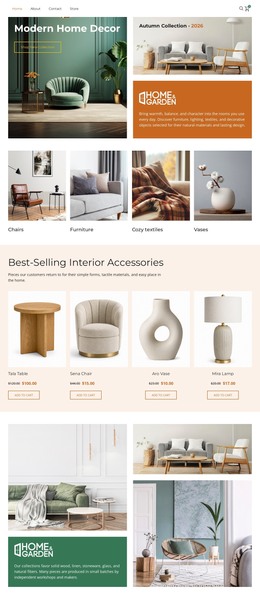
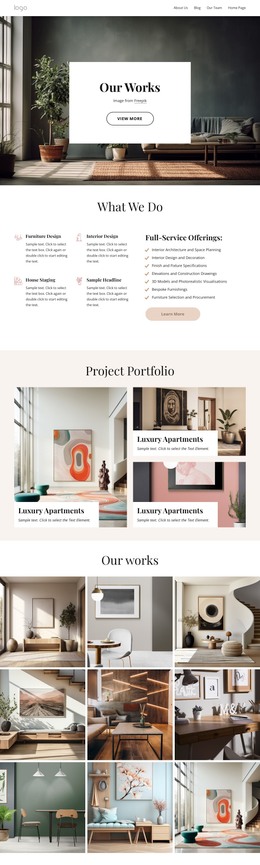
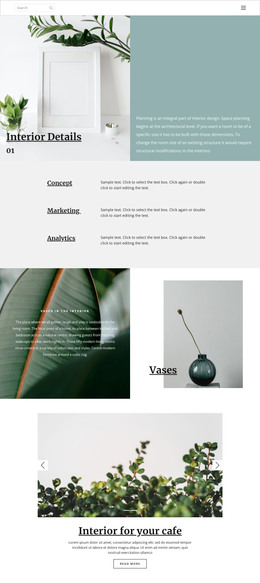
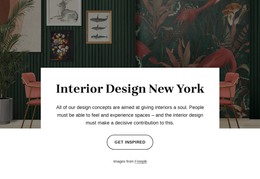
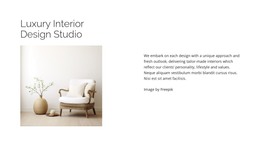
The heading “interior details” and the Read more button form a compact content unit over a full-width interior photograph. The image supplies the main context through wall artwork, a plant, a chair, and a wooden surface, while the right-aligned overlay identifies the subject and offers a next step. Because the section depends on one strong image rather than a collection of cards or a long text column, it can introduce interior-focused content without making the surrounding page feel crowded.
Within a WordPress-managed site, this arrangement can serve as stable visual content for a page about interiors, materials, rooms, or related design details. The photograph, heading, and action remain a coherent section that can sit alongside other page content while the wider project handles additional information elsewhere. The thin light type and outlined button should remain visually connected to the image, since their contrast and placement are central to the block’s reading order. The right-side grouping also leaves the room scene open across much of the section, allowing the image to carry atmosphere while the action points visitors toward a deeper content destination. The result is a focused page section that supports a broader WordPress content structure without requiring the block to carry the entire site experience by itself.
Customize with Nicepage
Open this ready-made template in the WordPress Website Builder and customize it visually in the Nicepage editor. Replace demo content, edit page sections, and adapt the design to your project without rebuilding the template from scratch.
Edit Template Offline
2. Create a new page or select existing
3. Click Add new block, search for id 53951 and click enter
Edit Template Online
Create Awesome Websites


Free Nicepage Builder
Keywords
Manage and Edit This Theme in WordPress
Customize and Install the WordPress Theme
Start with this ready-made theme instead of building the WordPress design from scratch. Customize its layout, content, typography, images, sections, and other design elements visually in Nicepage editor, then export and install the WordPress Theme, Plugin, and Pages on your WordPress site. The Nicepage WordPress Plugin lets you continue working with the site after installation.
Edit the Theme Directly in WordPress
After installation, you can edit the WordPress Theme directly in WordPress with the Nicepage WordPress Plugin. Use Site Style to customize site Colors, Fonts, Header, Footer, Blog, and Post Page Templates while working within your WordPress website.
Edit WordPress Pages Visually
Use the Nicepage WordPress Plugin to edit page content directly from the WordPress admin area. Open a WordPress Page with Nicepage and visually change its text, images, sections, and other page elements while continuing to manage the Page through WordPress.
WordPress Content and Theme Integration
Use the customized theme with WordPress Pages, Posts, Blog and Post Templates, menus, widgets, and other CMS-managed content. Shared theme elements such as Colors, Fonts, Header, Footer, Blog, and Post Page Templates can be managed as part of the overall site design, while WordPress provides the CMS environment for managing site content.
This workflow combines a ready-made WordPress Theme with visual customization, direct theme editing in WordPress, and continued content management through the Nicepage WordPress Plugin.