Marketing and planning WordPress Theme


Marketing and Flexibility Form Stable WordPress Page Content
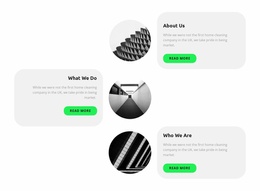
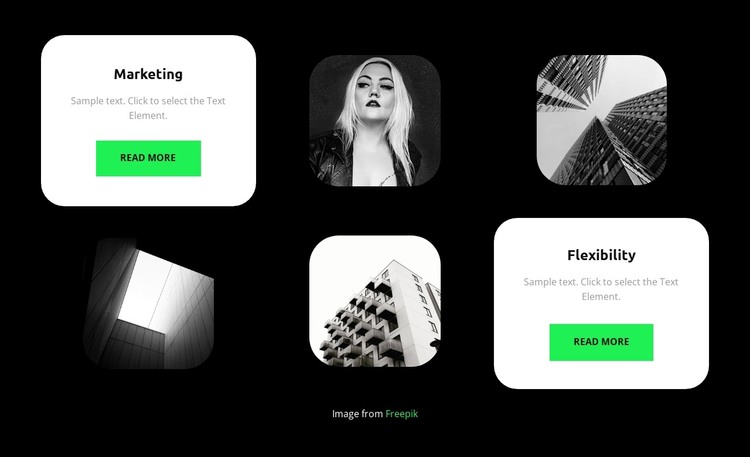
The Marketing and Flexibility cards read as two stable information areas that can sit within a WordPress-managed page. Each card combines a label, supporting paragraph, and Read more button, allowing the section to present separate feature or category highlights without merging them into one long message. The sample wording can be replaced with maintained page content, while the two labels provide a clear distinction between the areas visitors may explore.
The surrounding image framework gives that page content a recognizable visual pattern. Six cells form two rows of three, with the Marketing card at the upper-left and the Flexibility card at the lower-right. Four image cells occupy the remaining positions, using monochrome architectural or portrait imagery with rounded corners. Against the black background, the white cards create strong contrast and the bright green buttons mark the available continuation points without overpowering the text.
For a WordPress-oriented project, this block is best understood as a reusable section for relatively stable page information rather than a complete theme or site structure. It can support a services, capabilities, or category-focused page while other content areas handle deeper explanations and related material. Its static layout keeps both feature cards visible together, making the relationship between the two highlights easy to scan and maintain as the surrounding page develops.
Customize with Nicepage
Open this ready-made template in the WordPress Website Builder and customize it visually in the Nicepage editor. Replace demo content, edit page sections, and adapt the design to your project without rebuilding the template from scratch.
Edit Template Offline
2. Create a new page or select existing
3. Click Add new block, search for id 5370551 and click enter
Edit Template Online
Create Awesome Websites


Free Nicepage Builder
Keywords
Manage and Edit This Theme in WordPress
Customize and Install the WordPress Theme
Start with this ready-made theme instead of building the WordPress design from scratch. Customize its layout, content, typography, images, sections, and other design elements visually in Nicepage editor, then export and install the WordPress Theme, Plugin, and Pages on your WordPress site. The Nicepage WordPress Plugin lets you continue working with the site after installation.
Edit the Theme Directly in WordPress
After installation, you can edit the WordPress Theme directly in WordPress with the Nicepage WordPress Plugin. Use Site Style to customize site Colors, Fonts, Header, Footer, Blog, and Post Page Templates while working within your WordPress website.
Edit WordPress Pages Visually
Use the Nicepage WordPress Plugin to edit page content directly from the WordPress admin area. Open a WordPress Page with Nicepage and visually change its text, images, sections, and other page elements while continuing to manage the Page through WordPress.
WordPress Content and Theme Integration
Use the customized theme with WordPress Pages, Posts, Blog and Post Templates, menus, widgets, and other CMS-managed content. Shared theme elements such as Colors, Fonts, Header, Footer, Blog, and Post Page Templates can be managed as part of the overall site design, while WordPress provides the CMS environment for managing site content.
This workflow combines a ready-made WordPress Theme with visual customization, direct theme editing in WordPress, and continued content management through the Nicepage WordPress Plugin.