We prioritise features WordPress Theme


The Heading and Capability List Read as Stable WordPress Page Content
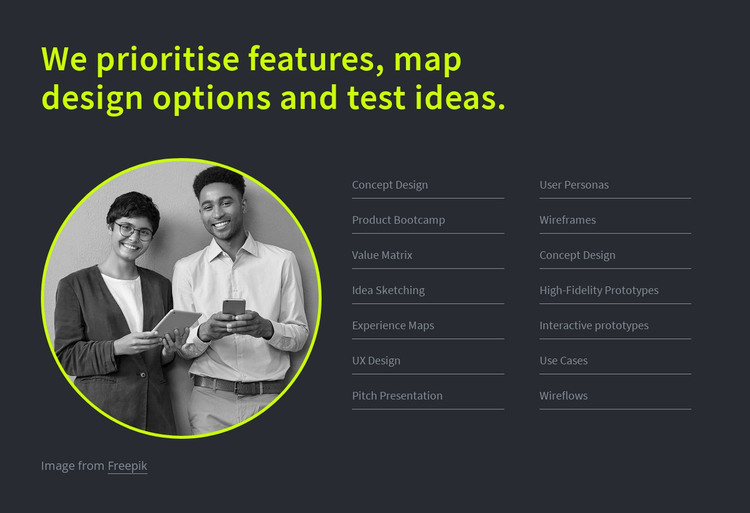
The section’s main content is organized around a durable services message rather than a time-sensitive update. The heading, “We prioritise features, map design options and test ideas,” introduces the subject, while the adjacent two-column list expands it into 14 labeled capabilities. User Personas, Wireframes, Experience Maps, UX Design, Concept Design, and High-Fidelity Prototypes make the offering legible at a glance. Each label has a thin horizontal separator, giving the repeated content a consistent rhythm.
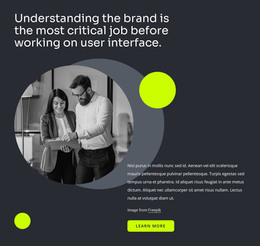
For a WordPress-managed page, this makes the block suitable as stable services content within a wider theme and publishing environment. The section can explain a practice’s capabilities on a permanent page while other CMS-managed areas handle related case studies, articles, or contact content. The circular grayscale image of two people using digital devices adds visual context without replacing the informational purpose of the list.
Its page-content role is also supported by the restrained internal hierarchy. The heading and image occupy the left side, and the two aligned label columns carry the denser information on the right. A dark charcoal background keeps the section visually contained, while the lime heading and image outline distinguish it from surrounding content. The block can therefore retain its own presentation when placed in WordPress-managed content without being treated as a complete WordPress Theme.
Customize with Nicepage
Open this ready-made template in the WordPress Website Builder and customize it visually in the Nicepage editor. Replace demo content, edit page sections, and adapt the design to your project without rebuilding the template from scratch.
Edit Template Offline
2. Create a new page or select existing
3. Click Add new block, search for id 509591 and click enter
Edit Template Online
Create Awesome Websites


Free Nicepage Builder
Keywords
Manage and Edit This Theme in WordPress
Customize and Install the WordPress Theme
Start with this ready-made theme instead of building the WordPress design from scratch. Customize its layout, content, typography, images, sections, and other design elements visually in Nicepage editor, then export and install the WordPress Theme, Plugin, and Pages on your WordPress site. The Nicepage WordPress Plugin lets you continue working with the site after installation.
Edit the Theme Directly in WordPress
After installation, you can edit the WordPress Theme directly in WordPress with the Nicepage WordPress Plugin. Use Site Style to customize site Colors, Fonts, Header, Footer, Blog, and Post Page Templates while working within your WordPress website.
Edit WordPress Pages Visually
Use the Nicepage WordPress Plugin to edit page content directly from the WordPress admin area. Open a WordPress Page with Nicepage and visually change its text, images, sections, and other page elements while continuing to manage the Page through WordPress.
WordPress Content and Theme Integration
Use the customized theme with WordPress Pages, Posts, Blog and Post Templates, menus, widgets, and other CMS-managed content. Shared theme elements such as Colors, Fonts, Header, Footer, Blog, and Post Page Templates can be managed as part of the overall site design, while WordPress provides the CMS environment for managing site content.
This workflow combines a ready-made WordPress Theme with visual customization, direct theme editing in WordPress, and continued content management through the Nicepage WordPress Plugin.