Global community of active cyclists WordPress Theme


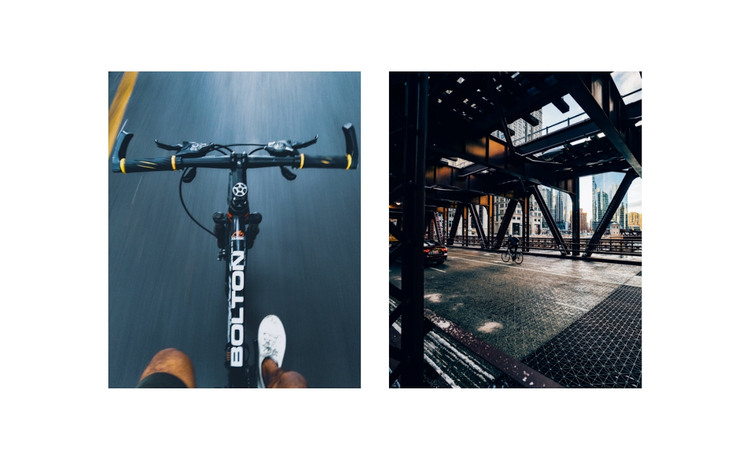
Rider Perspective and Urban Setting Anchor Stable Page Content
The paired photographs give this section a clear page-content identity without relying on a written heading. One image presents the bicycle from the rider’s viewpoint, making the experience immediate and personal; the other places bicycles below an industrial bridge, connecting cycling with the built urban setting. The equal-width panels preserve balance, while the broad gutter prevents the scenes from merging into one undifferentiated image. A white background around the centered row further separates the gallery from other content that may surround it.
For a WordPress-managed page, this block can serve as a stable visual section for cycling, mobility, or urban transportation content. It is best understood as publishable page material that supports a larger narrative: accompanying text can explain a community, route, project, or activity elsewhere, while these two images establish atmosphere and subject. The block itself remains deliberately focused, with no form, button, heading, or navigation element competing with the photographs.
Its static structure also makes the visual relationship easy to preserve as page content. Both panels remain visible at once, allowing visitors to compare the rider-centered view with the infrastructure-centered view immediately. Within a broader WordPress project, that direct comparison can support an introduction or themed content area while leaving other sections to handle explanations, actions, and site-level organization.
Customize with Nicepage
Open this ready-made template in the WordPress Website Builder and customize it visually in the Nicepage editor. Replace demo content, edit page sections, and adapt the design to your project without rebuilding the template from scratch.
Edit Template Offline
2. Create a new page or select existing
3. Click Add new block, search for id 48604 and click enter
Edit Template Online
Create Awesome Websites


Free Nicepage Builder
Keywords
Manage and Edit This Theme in WordPress
Customize and Install the WordPress Theme
Start with this ready-made theme instead of building the WordPress design from scratch. Customize its layout, content, typography, images, sections, and other design elements visually in Nicepage editor, then export and install the WordPress Theme, Plugin, and Pages on your WordPress site. The Nicepage WordPress Plugin lets you continue working with the site after installation.
Edit the Theme Directly in WordPress
After installation, you can edit the WordPress Theme directly in WordPress with the Nicepage WordPress Plugin. Use Site Style to customize site Colors, Fonts, Header, Footer, Blog, and Post Page Templates while working within your WordPress website.
Edit WordPress Pages Visually
Use the Nicepage WordPress Plugin to edit page content directly from the WordPress admin area. Open a WordPress Page with Nicepage and visually change its text, images, sections, and other page elements while continuing to manage the Page through WordPress.
WordPress Content and Theme Integration
Use the customized theme with WordPress Pages, Posts, Blog and Post Templates, menus, widgets, and other CMS-managed content. Shared theme elements such as Colors, Fonts, Header, Footer, Blog, and Post Page Templates can be managed as part of the overall site design, while WordPress provides the CMS environment for managing site content.
This workflow combines a ready-made WordPress Theme with visual customization, direct theme editing in WordPress, and continued content management through the Nicepage WordPress Plugin.