Help companies to transform WordPress Theme


Stable Transformation Content for a WordPress-Managed Page
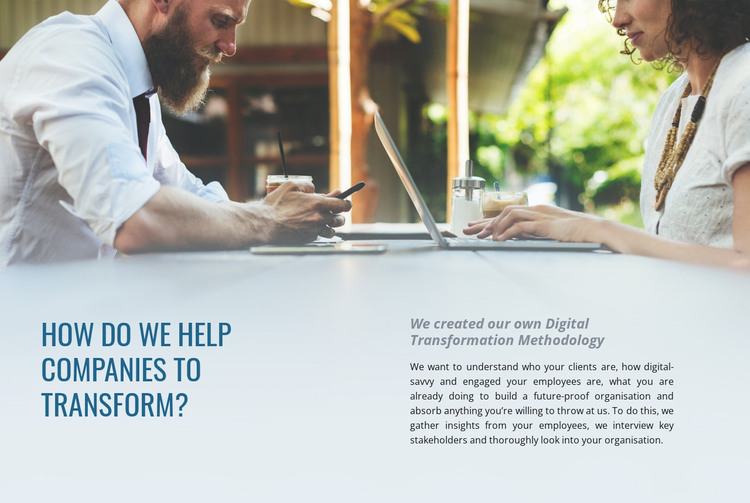
The question-led heading and supporting methodology copy make this block suited to stable page content rather than a changing list of posts. “How Do We Help Companies To Transform?” occupies the left column as the primary subject, while the right column explains that the organization has created its own Digital Transformation Methodology. The supporting paragraph adds substance by referring to clients, employee digital engagement, key stakeholders, and the practices used to build a future-proof organization. Above both columns, the workplace photograph reinforces the theme of collaboration and assessment without replacing the written explanation.
In a WordPress-oriented project, this block can function as a reusable section on a consulting, services, or About page while the wider site manages its other content separately. Its visual treatment helps preserve a recognizable section identity: a blue-gray field, blue condensed heading, italic lead statement, and generous whitespace frame the methodology narrative. The arrangement also gives editors a clear division between the question and the detailed answer, which helps maintain the intended reading order when the section is placed among other page content. The block remains one publishable content area inside the broader WordPress-managed site, leaving navigation, additional pages, and any regularly updated material to the surrounding project.
Customize with Nicepage
Open this ready-made template in the WordPress Website Builder and customize it visually in the Nicepage editor. Replace demo content, edit page sections, and adapt the design to your project without rebuilding the template from scratch.
Edit Template Offline
2. Create a new page or select existing
3. Click Add new block, search for id 48506 and click enter
Edit Template Online
Create Awesome Websites


Free Nicepage Builder
Keywords
Manage and Edit This Theme in WordPress
Customize and Install the WordPress Theme
Start with this ready-made theme instead of building the WordPress design from scratch. Customize its layout, content, typography, images, sections, and other design elements visually in Nicepage editor, then export and install the WordPress Theme, Plugin, and Pages on your WordPress site. The Nicepage WordPress Plugin lets you continue working with the site after installation.
Edit the Theme Directly in WordPress
After installation, you can edit the WordPress Theme directly in WordPress with the Nicepage WordPress Plugin. Use Site Style to customize site Colors, Fonts, Header, Footer, Blog, and Post Page Templates while working within your WordPress website.
Edit WordPress Pages Visually
Use the Nicepage WordPress Plugin to edit page content directly from the WordPress admin area. Open a WordPress Page with Nicepage and visually change its text, images, sections, and other page elements while continuing to manage the Page through WordPress.
WordPress Content and Theme Integration
Use the customized theme with WordPress Pages, Posts, Blog and Post Templates, menus, widgets, and other CMS-managed content. Shared theme elements such as Colors, Fonts, Header, Footer, Blog, and Post Page Templates can be managed as part of the overall site design, while WordPress provides the CMS environment for managing site content.
This workflow combines a ready-made WordPress Theme with visual customization, direct theme editing in WordPress, and continued content management through the Nicepage WordPress Plugin.