Space landscapes WordPress Theme



A Stable Inspirational Section for Managed Page Content
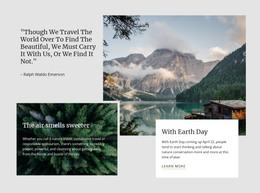
The quotation and its attribution form stable page content, while the two landscape panels provide the visual arrangement around that message. The narrower coastal rock arch image acts as a counterweight to the wider right-side panel, where the text is placed over a starry volcanic landscape. This hierarchy makes the section read as one intentional content area rather than as two unrelated images followed by separate copy.
The message begins, “You must not lose faith in humanity,” and the Mahatma Gandhi attribution keeps the quotation’s source visible within the same wider panel. White monospaced text creates a distinct typographic treatment against the darker image, so a WordPress-managed page can preserve the section’s identity while placing it among other publishable content. The block can work as a reflective or editorial pause within a page, with neighboring sections providing the broader subject matter and navigation.
In a WordPress-oriented project, this visual section can remain part of permanent page content while the surrounding site is managed through the CMS. Nicepage’s WordPress Pages workflow describes the wider installation context; it does not change this block’s scope as one reusable quote section.
Customize with Nicepage
Open this ready-made template in the WordPress Website Builder and customize it visually in the Nicepage editor. Replace demo content, edit page sections, and adapt the design to your project without rebuilding the template from scratch.
Edit Template Offline
2. Create a new page or select existing
3. Click Add new block, search for id 48015 and click enter
Edit Template Online
Create Awesome Websites


Free Nicepage Builder
Keywords
Manage and Edit This Theme in WordPress
Customize and Install the WordPress Theme
Start with this ready-made theme instead of building the WordPress design from scratch. Customize its layout, content, typography, images, sections, and other design elements visually in Nicepage editor, then export and install the WordPress Theme, Plugin, and Pages on your WordPress site. The Nicepage WordPress Plugin lets you continue working with the site after installation.
Edit the Theme Directly in WordPress
After installation, you can edit the WordPress Theme directly in WordPress with the Nicepage WordPress Plugin. Use Site Style to customize site Colors, Fonts, Header, Footer, Blog, and Post Page Templates while working within your WordPress website.
Edit WordPress Pages Visually
Use the Nicepage WordPress Plugin to edit page content directly from the WordPress admin area. Open a WordPress Page with Nicepage and visually change its text, images, sections, and other page elements while continuing to manage the Page through WordPress.
WordPress Content and Theme Integration
Use the customized theme with WordPress Pages, Posts, Blog and Post Templates, menus, widgets, and other CMS-managed content. Shared theme elements such as Colors, Fonts, Header, Footer, Blog, and Post Page Templates can be managed as part of the overall site design, while WordPress provides the CMS environment for managing site content.
This workflow combines a ready-made WordPress Theme with visual customization, direct theme editing in WordPress, and continued content management through the Nicepage WordPress Plugin.