New landscape WordPress Theme


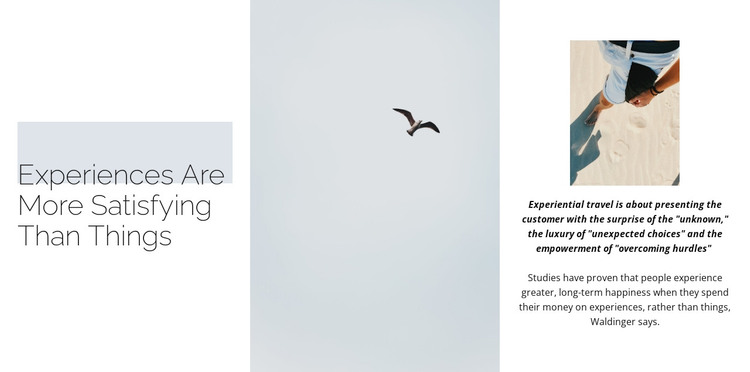
The Heading and Image Sequence Creates Stable Travel Page Content
The heading “Experiences Are More Satisfying Than Things” gives this section a clear subject for permanent page content, while the tall central image separates the introduction from the explanation that follows. On the right, a smaller image sits above a bold italic quotation about the surprise of the unknown, unexpected choices, and overcoming hurdles in experiential travel. Supporting copy then develops the related idea that experiences can produce greater long-term happiness than possessions.
This content model suits a WordPress-managed travel page when the section needs to communicate an editorial viewpoint rather than display a changing list of offerings. The three horizontal regions keep the message easy to distinguish: a strong title on the left, visual emphasis in the center, and a compact combination of image, quotation, and paragraph on the right. The arrangement gives the page a recognizable content unit that can remain visually consistent as surrounding material evolves.
The pale blue-gray central image area, white side columns, thin heading typography, and generous spacing also provide a stable presentation for text and imagery maintained within the wider WordPress project. Other page content can introduce destinations, practical travel information, or related topics around this section, while the block retains its specific role as an experiential-travel statement. Its static interaction keeps attention on the relationship between the quotation, supporting copy, and images rather than on a changing interface.
Customize with Nicepage
Open this ready-made template in the WordPress Website Builder and customize it visually in the Nicepage editor. Replace demo content, edit page sections, and adapt the design to your project without rebuilding the template from scratch.
Edit Template Offline
2. Create a new page or select existing
3. Click Add new block, search for id 446807 and click enter
Edit Template Online
Create Awesome Websites


Free Nicepage Builder
Keywords
Manage and Edit This Theme in WordPress
Customize and Install the WordPress Theme
Start with this ready-made theme instead of building the WordPress design from scratch. Customize its layout, content, typography, images, sections, and other design elements visually in Nicepage editor, then export and install the WordPress Theme, Plugin, and Pages on your WordPress site. The Nicepage WordPress Plugin lets you continue working with the site after installation.
Edit the Theme Directly in WordPress
After installation, you can edit the WordPress Theme directly in WordPress with the Nicepage WordPress Plugin. Use Site Style to customize site Colors, Fonts, Header, Footer, Blog, and Post Page Templates while working within your WordPress website.
Edit WordPress Pages Visually
Use the Nicepage WordPress Plugin to edit page content directly from the WordPress admin area. Open a WordPress Page with Nicepage and visually change its text, images, sections, and other page elements while continuing to manage the Page through WordPress.
WordPress Content and Theme Integration
Use the customized theme with WordPress Pages, Posts, Blog and Post Templates, menus, widgets, and other CMS-managed content. Shared theme elements such as Colors, Fonts, Header, Footer, Blog, and Post Page Templates can be managed as part of the overall site design, while WordPress provides the CMS environment for managing site content.
This workflow combines a ready-made WordPress Theme with visual customization, direct theme editing in WordPress, and continued content management through the Nicepage WordPress Plugin.