Ethnic groups africa WordPress Theme


Structured Cultural Content for a WordPress-Managed Page
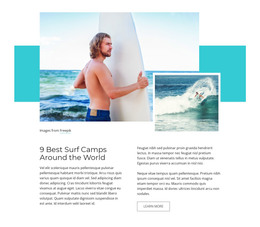
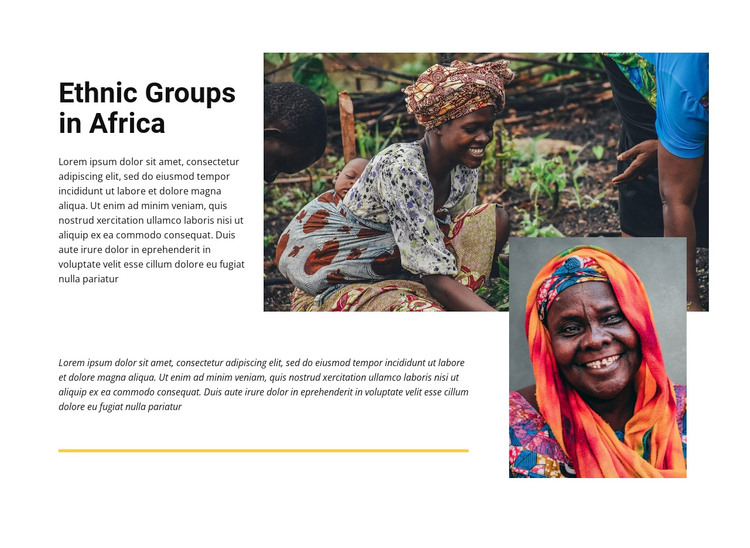
The heading “Ethnic Groups in Africa” and the two visible paragraph areas give this block the character of stable informational content rather than a changing list of records. The first paragraph sits beside the large upper-right photograph, creating a direct relationship between the cultural subject and its primary visual representation. In a WordPress-managed page, that arrangement can function as a publishable section whose text and images remain part of the page’s main editorial content while the surrounding project handles other areas separately.
The second paragraph extends the explanation below the introduction and is paired with a smaller portrait overlapping the lower-right portion of the main image. This layered relationship gives the page section a distinct visual signature without requiring additional navigation or interaction; the block is static. The yellow divider beneath the lower text provides a clear boundary before the next content area, and the white background keeps the black heading and photographs visually legible. The structure can therefore support a cultural or travel-oriented page while remaining flexible about the surrounding WordPress content model. Other managed sections may provide related topics, destination information, or supporting media, but this block retains its own subject, two-part text flow, image hierarchy, and editorial spacing. Its value lies in preserving that coherent content area as the broader page evolves.
Customize with Nicepage
Open this ready-made template in the WordPress Website Builder and customize it visually in the Nicepage editor. Replace demo content, edit page sections, and adapt the design to your project without rebuilding the template from scratch.
Edit Template Offline
2. Create a new page or select existing
3. Click Add new block, search for id 41738 and click enter
Edit Template Online
Create Awesome Websites


Free Nicepage Builder
Keywords
Manage and Edit This Theme in WordPress
Customize and Install the WordPress Theme
Start with this ready-made theme instead of building the WordPress design from scratch. Customize its layout, content, typography, images, sections, and other design elements visually in Nicepage editor, then export and install the WordPress Theme, Plugin, and Pages on your WordPress site. The Nicepage WordPress Plugin lets you continue working with the site after installation.
Edit the Theme Directly in WordPress
After installation, you can edit the WordPress Theme directly in WordPress with the Nicepage WordPress Plugin. Use Site Style to customize site Colors, Fonts, Header, Footer, Blog, and Post Page Templates while working within your WordPress website.
Edit WordPress Pages Visually
Use the Nicepage WordPress Plugin to edit page content directly from the WordPress admin area. Open a WordPress Page with Nicepage and visually change its text, images, sections, and other page elements while continuing to manage the Page through WordPress.
WordPress Content and Theme Integration
Use the customized theme with WordPress Pages, Posts, Blog and Post Templates, menus, widgets, and other CMS-managed content. Shared theme elements such as Colors, Fonts, Header, Footer, Blog, and Post Page Templates can be managed as part of the overall site design, while WordPress provides the CMS environment for managing site content.
This workflow combines a ready-made WordPress Theme with visual customization, direct theme editing in WordPress, and continued content management through the Nicepage WordPress Plugin.