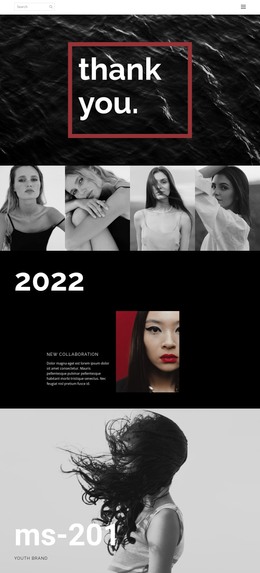
All about luxury fashion WordPress Theme
Edit Template Offline
2. Create new page and search for id 1284632
Edit Template Online
Create Awesome Websites


Free Nicepage Builder
Keywords
Fashion Stories, Gallery Content, and a Clear Page Framework
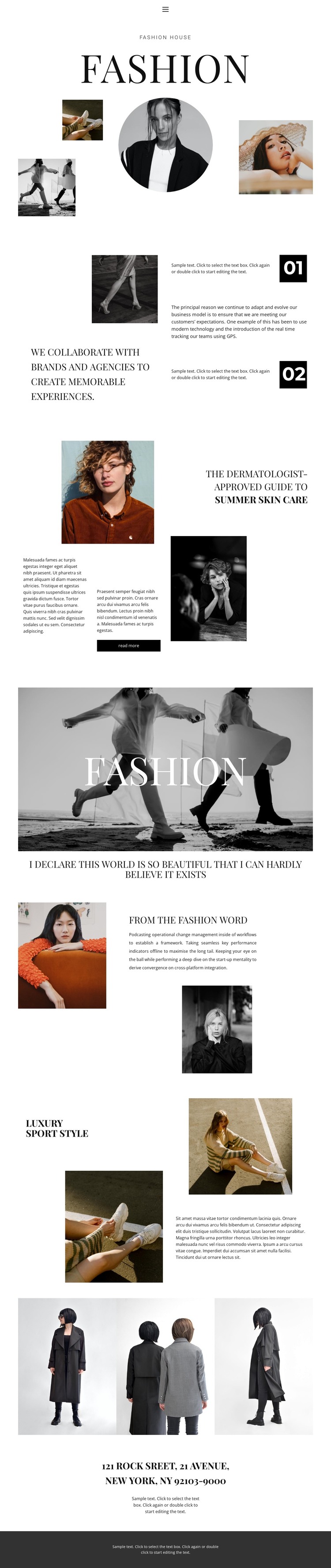
The opening Fashion section gives a WordPress-oriented project a defined permanent page area: a large serif title, circular portrait, and three supporting images establish the visual direction before visitors reach the longer editorial material. The collaboration statement and numbered markers 01 and 02 add a separate content relationship, making the page suitable for presenting brand background or studio information alongside the imagery rather than treating the design as a single promotional banner.
The named sections From the fashion word and Luxury Sport Style provide distinct subject areas that could remain as page content or guide additional editorial entries. The summer skin care feature is especially adaptable because it combines a headline, supporting photograph, text columns, and a read-more action. The current analysis confirms these areas on this page, but it does not prove that WordPress Posts, categories, or blog structures already exist.
The three-image gallery can support visual project or campaign content, while the centered New York address and dark footer create consistent shared-site context around the main material. Navigation links for Home, About, and Contact give the design a basic route between content areas. In a WordPress project, permanent pages and any later editorial content can be organized around this established visual system without changing the restrained palette, serif hierarchy, or image-led character.
Customize with Nicepage
Open this ready-made template in the WordPress Website Builder and customize it visually in the Nicepage editor. Replace demo content, edit page sections, and adapt the design to your project without rebuilding the template from scratch.
Manage and Edit This Theme in WordPress
Customize and Install the WordPress Theme
Start with this ready-made theme instead of building the WordPress design from scratch. Customize its layout, content, typography, images, sections, and other design elements visually in Nicepage editor, then export and install the WordPress Theme, Plugin, and Pages on your WordPress site. The Nicepage WordPress Plugin lets you continue working with the site after installation.
Edit the Theme Directly in WordPress
After installation, you can edit the WordPress Theme directly in WordPress with the Nicepage WordPress Plugin. Use Site Style to customize site Colors, Fonts, Header, Footer, Blog, and Post Page Templates while working within your WordPress website.
Edit WordPress Pages Visually
Use the Nicepage WordPress Plugin to edit page content directly from the WordPress admin area. Open a WordPress Page with Nicepage and visually change its text, images, sections, and other page elements while continuing to manage the Page through WordPress.
WordPress Content and Theme Integration
Use the customized theme with WordPress Pages, Posts, Blog and Post Templates, menus, widgets, and other CMS-managed content. Shared theme elements such as Colors, Fonts, Header, Footer, Blog, and Post Page Templates can be managed as part of the overall site design, while WordPress provides the CMS environment for managing site content.
This workflow combines a ready-made WordPress Theme with visual customization, direct theme editing in WordPress, and continued content management through the Nicepage WordPress Plugin.