Creative art and design studio WordPress Theme


Stable Interior Content for a WordPress-Managed Page
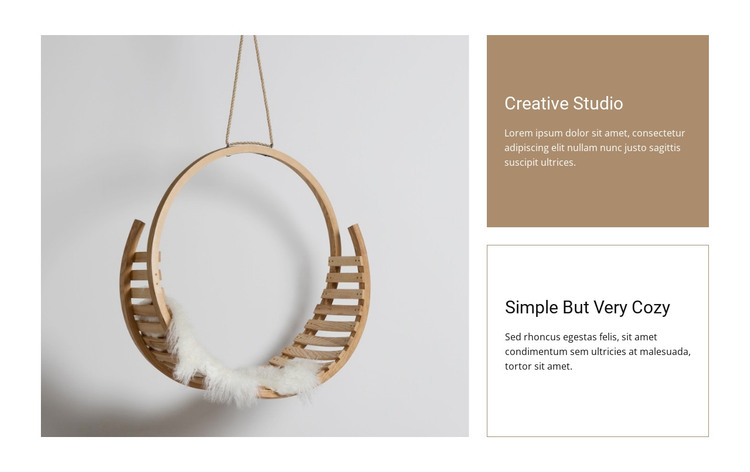
The large photograph of a hanging circular wooden chair gives this section a clear visual subject, while the adjacent text column provides two connected descriptions. “Creative Studio” appears in the upper panel with a warm beige background, and “Simple But Very Cozy” follows in a lighter panel outlined by a thin border. This order lets the image introduce the visual theme before the reader moves through two distinct pieces of supporting content.
For a WordPress-oriented use, the arrangement reads naturally as stable page content rather than a time-sensitive post stream. It can occupy an interior, studio, or design-focused area of a managed page while the surrounding project handles other content separately. The block itself retains a straightforward content model: one prominent image, two headings, and two supporting text areas, with no carousel, form, or other confirmed interaction competing for attention.
Its visual treatment also gives the section a recognizable presentation within a broader theme. The warm upper fill can mark the primary text group, while the bordered lower panel creates a quieter continuation. Neutral surfaces, generous white space, and consistent left alignment help the block sit alongside other WordPress-managed page sections without losing its identity. The result is a contained visual story that can be edited as part of a wider page while preserving the same image-to-copy relationship.
Customize with Nicepage
Open this ready-made template in the WordPress Website Builder and customize it visually in the Nicepage editor. Replace demo content, edit page sections, and adapt the design to your project without rebuilding the template from scratch.
Edit Template Offline
2. Create a new page or select existing
3. Click Add new block, search for id 41374 and click enter
Edit Template Online
Create Awesome Websites


Free Nicepage Builder
Keywords
Manage and Edit This Theme in WordPress
Customize and Install the WordPress Theme
Start with this ready-made theme instead of building the WordPress design from scratch. Customize its layout, content, typography, images, sections, and other design elements visually in Nicepage editor, then export and install the WordPress Theme, Plugin, and Pages on your WordPress site. The Nicepage WordPress Plugin lets you continue working with the site after installation.
Edit the Theme Directly in WordPress
After installation, you can edit the WordPress Theme directly in WordPress with the Nicepage WordPress Plugin. Use Site Style to customize site Colors, Fonts, Header, Footer, Blog, and Post Page Templates while working within your WordPress website.
Edit WordPress Pages Visually
Use the Nicepage WordPress Plugin to edit page content directly from the WordPress admin area. Open a WordPress Page with Nicepage and visually change its text, images, sections, and other page elements while continuing to manage the Page through WordPress.
WordPress Content and Theme Integration
Use the customized theme with WordPress Pages, Posts, Blog and Post Templates, menus, widgets, and other CMS-managed content. Shared theme elements such as Colors, Fonts, Header, Footer, Blog, and Post Page Templates can be managed as part of the overall site design, while WordPress provides the CMS environment for managing site content.
This workflow combines a ready-made WordPress Theme with visual customization, direct theme editing in WordPress, and continued content management through the Nicepage WordPress Plugin.