Psychologist support WordPress Theme


A Focused Support Message for WordPress Page Content
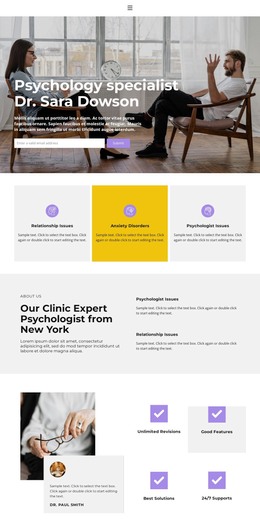
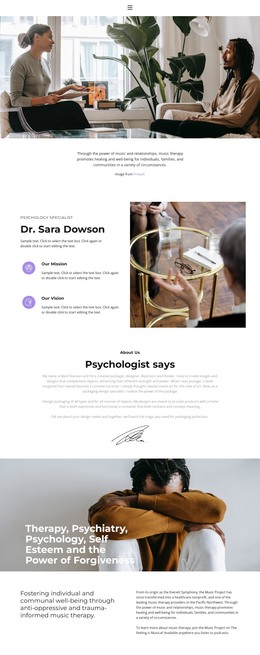
The block’s heading and three psychiatric support highlights read as stable informational content rather than a stream of dated updates. The wording identifies a clear online support offer and names subjects such as anxiety, eating disorders, panic attacks, medications, insomnia, bipolar disorder, and depression. A full-width therapy consultation photograph supports that message visually, showing two people in an indoor care setting without replacing the text’s role.
In a WordPress-managed page, this section can function as a reusable introductory content area within a broader mental-health service presentation. The lower-left overlay keeps the heading and highlights together as one readable unit, while the open photographic space above gives the section a strong visual pause before additional page content. Large white type establishes the main message first; the smaller list text then supplies supporting scope against the muted, softly lit image. Because the interaction is static, visitors can see the complete introductory message immediately without opening tabs, sliders, or other controls. The surrounding WordPress project can contain further service information, contact content, or other managed sections, while this block remains a focused visual introduction rather than a complete theme or site.
Customize with Nicepage
Open this ready-made template in the WordPress Website Builder and customize it visually in the Nicepage editor. Replace demo content, edit page sections, and adapt the design to your project without rebuilding the template from scratch.
Edit Template Offline
2. Create a new page or select existing
3. Click Add new block, search for id 302709 and click enter
Edit Template Online
Create Awesome Websites


Free Nicepage Builder
Keywords
Manage and Edit This Theme in WordPress
Customize and Install the WordPress Theme
Start with this ready-made theme instead of building the WordPress design from scratch. Customize its layout, content, typography, images, sections, and other design elements visually in Nicepage editor, then export and install the WordPress Theme, Plugin, and Pages on your WordPress site. The Nicepage WordPress Plugin lets you continue working with the site after installation.
Edit the Theme Directly in WordPress
After installation, you can edit the WordPress Theme directly in WordPress with the Nicepage WordPress Plugin. Use Site Style to customize site Colors, Fonts, Header, Footer, Blog, and Post Page Templates while working within your WordPress website.
Edit WordPress Pages Visually
Use the Nicepage WordPress Plugin to edit page content directly from the WordPress admin area. Open a WordPress Page with Nicepage and visually change its text, images, sections, and other page elements while continuing to manage the Page through WordPress.
WordPress Content and Theme Integration
Use the customized theme with WordPress Pages, Posts, Blog and Post Templates, menus, widgets, and other CMS-managed content. Shared theme elements such as Colors, Fonts, Header, Footer, Blog, and Post Page Templates can be managed as part of the overall site design, while WordPress provides the CMS environment for managing site content.
This workflow combines a ready-made WordPress Theme with visual customization, direct theme editing in WordPress, and continued content management through the Nicepage WordPress Plugin.