Top five WordPress Theme


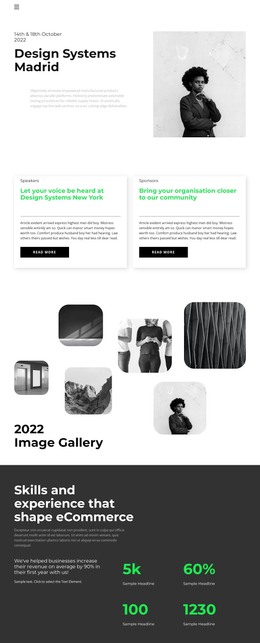
Consistent Profile Content Fits a WordPress Page Section
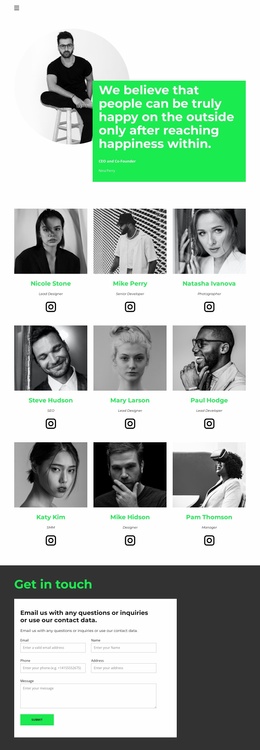
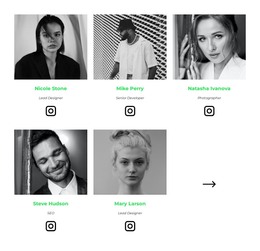
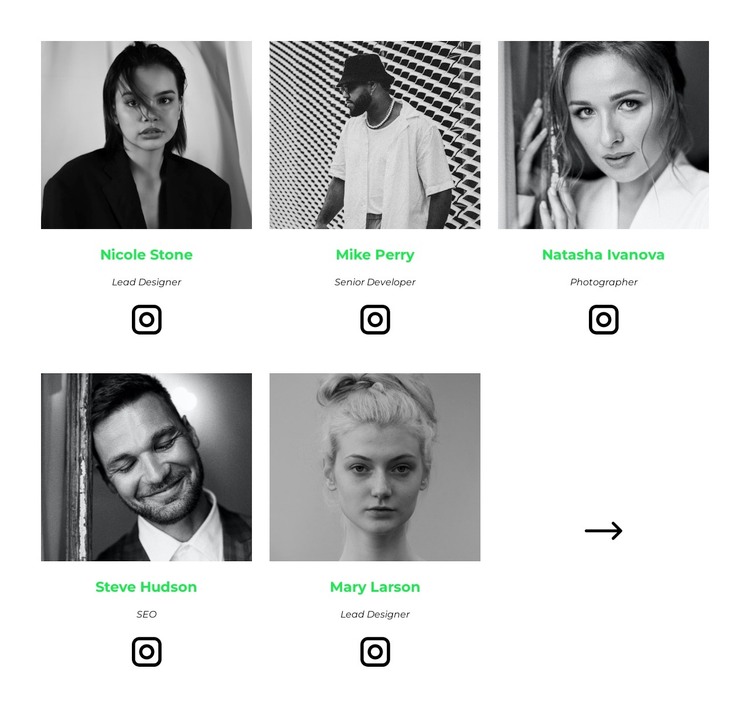
The repeated profile structure reads as stable page content within a WordPress-managed site. Five people are introduced through the same combination of portrait, name, role, and Instagram link, allowing the section to present team information without relying on a long article format. Nicole Stone and Mary Larson carry the Lead Designer label, Mike Perry is a Senior Developer, Natasha Ivanova is a Photographer, and Steve Hudson is identified with SEO. These labels give each profile a concise content role while the surrounding project can provide additional context elsewhere.
The visual arrangement supports that page-content interpretation. Two rows of three centered cells create a balanced team region, but only five cells are populated with people. The sixth cell contains a directional arrow, which acts as a separate visual cue rather than a profile item. Generous spacing keeps the repeated entries distinct, grayscale portrait photography creates a common image treatment, bright green names draw attention to identity, and italic role labels sit beneath them as supporting information. Large black Instagram icons repeat the social-link treatment across the set.
Within a WordPress-oriented project, this block can serve as a permanent team section on a page while other CMS-managed content grows around it. Its design does not depend on a particular blog or category structure; its strength is the clear, reusable presentation of five team members. Nicepage’s WordPress workflow can support the surrounding page design, while this section retains its focused content role.
Customize with Nicepage
Open this ready-made template in the WordPress Website Builder and customize it visually in the Nicepage editor. Replace demo content, edit page sections, and adapt the design to your project without rebuilding the template from scratch.
Edit Template Offline
2. Create a new page or select existing
3. Click Add new block, search for id 2757037 and click enter
Edit Template Online
Create Awesome Websites


Free Nicepage Builder
Keywords
Manage and Edit This Theme in WordPress
Customize and Install the WordPress Theme
Start with this ready-made theme instead of building the WordPress design from scratch. Customize its layout, content, typography, images, sections, and other design elements visually in Nicepage editor, then export and install the WordPress Theme, Plugin, and Pages on your WordPress site. The Nicepage WordPress Plugin lets you continue working with the site after installation.
Edit the Theme Directly in WordPress
After installation, you can edit the WordPress Theme directly in WordPress with the Nicepage WordPress Plugin. Use Site Style to customize site Colors, Fonts, Header, Footer, Blog, and Post Page Templates while working within your WordPress website.
Edit WordPress Pages Visually
Use the Nicepage WordPress Plugin to edit page content directly from the WordPress admin area. Open a WordPress Page with Nicepage and visually change its text, images, sections, and other page elements while continuing to manage the Page through WordPress.
WordPress Content and Theme Integration
Use the customized theme with WordPress Pages, Posts, Blog and Post Templates, menus, widgets, and other CMS-managed content. Shared theme elements such as Colors, Fonts, Header, Footer, Blog, and Post Page Templates can be managed as part of the overall site design, while WordPress provides the CMS environment for managing site content.
This workflow combines a ready-made WordPress Theme with visual customization, direct theme editing in WordPress, and continued content management through the Nicepage WordPress Plugin.