We will call if needed WordPress Theme


Phone Details Form the Primary WordPress Page Content
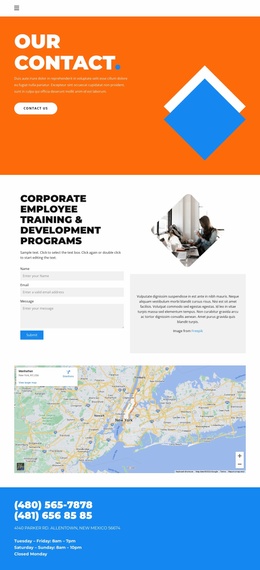
The two phone numbers give this section a stable, page-oriented content role: visitors can identify the main contact route immediately, then read the address and opening hours below it. The illustration creates a visual lead-in, but the information hierarchy keeps practical details at the center of the block's purpose. The displayed schedule separates Tuesday through Friday from the longer Saturday and Sunday hours and identifies Monday as closed, while the address supplies a location reference.
Within a WordPress-managed page, this arrangement can function as a reusable contact-information region rather than as a standalone theme or site structure. Its centered column is easy to recognize as one permanent content area, and the orange background gives that area a strong boundary against neighboring page sections. White type maintains a unified treatment across the large phone numbers and the smaller supporting text. Because the block is static, its content reads consistently without relying on a carousel, expandable panel, or other interaction. The displayed phone numbers, address, and schedule can be replaced with the site's final information while retaining the same hierarchy. WordPress can provide the broader page and publishing environment around the section, while this block remains focused on presenting contact details in a visually distinct, easy-to-scan format.
Customize with Nicepage
Open this ready-made template in the WordPress Website Builder and customize it visually in the Nicepage editor. Replace demo content, edit page sections, and adapt the design to your project without rebuilding the template from scratch.
Edit Template Offline
2. Create a new page or select existing
3. Click Add new block, search for id 2657153 and click enter
Edit Template Online
Create Awesome Websites


Free Nicepage Builder
Keywords
Manage and Edit This Theme in WordPress
Customize and Install the WordPress Theme
Start with this ready-made theme instead of building the WordPress design from scratch. Customize its layout, content, typography, images, sections, and other design elements visually in Nicepage editor, then export and install the WordPress Theme, Plugin, and Pages on your WordPress site. The Nicepage WordPress Plugin lets you continue working with the site after installation.
Edit the Theme Directly in WordPress
After installation, you can edit the WordPress Theme directly in WordPress with the Nicepage WordPress Plugin. Use Site Style to customize site Colors, Fonts, Header, Footer, Blog, and Post Page Templates while working within your WordPress website.
Edit WordPress Pages Visually
Use the Nicepage WordPress Plugin to edit page content directly from the WordPress admin area. Open a WordPress Page with Nicepage and visually change its text, images, sections, and other page elements while continuing to manage the Page through WordPress.
WordPress Content and Theme Integration
Use the customized theme with WordPress Pages, Posts, Blog and Post Templates, menus, widgets, and other CMS-managed content. Shared theme elements such as Colors, Fonts, Header, Footer, Blog, and Post Page Templates can be managed as part of the overall site design, while WordPress provides the CMS environment for managing site content.
This workflow combines a ready-made WordPress Theme with visual customization, direct theme editing in WordPress, and continued content management through the Nicepage WordPress Plugin.