Two new reviews WordPress Theme



Portrait-Led Reviews Fit a Stable Page Content Region
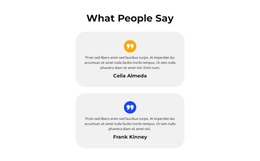
The two cards read as durable page content because each one presents a complete review unit: a circular portrait identifies the person, a centered name labels the identity, and a sample quote supplies the main written message. Facebook, Twitter, and Instagram links extend the identity area with related social destinations. The repeated structure gives both cards the same content logic while allowing them to remain separate columns with their own rounded surfaces.
A WordPress-oriented project can use this arrangement as a services-page proof area, an about-related testimonial region, or another stable section where personal feedback supports the surrounding content. The block’s role is page content rather than a full theme or CMS structure. Its light gray and white fills, purple abstract corner shapes, and yellow social icons remain part of the visual treatment that can be coordinated with the wider project’s design.
The static layout also suits content that visitors should see immediately rather than discover through a rotating control. Both sample reviews remain available in the same view, and the overlapping portraits help distinguish the two entries as people-focused content. Other WordPress-managed pages and content areas can surround this section, while the block retains its focused two-review pattern.
Customize with Nicepage
Open this ready-made template in the WordPress Website Builder and customize it visually in the Nicepage editor. Replace demo content, edit page sections, and adapt the design to your project without rebuilding the template from scratch.
Edit Template Offline
2. Create a new page or select existing
3. Click Add new block, search for id 2648868 and click enter
Edit Template Online
Create Awesome Websites


Free Nicepage Builder
Keywords
Manage and Edit This Theme in WordPress
Customize and Install the WordPress Theme
Start with this ready-made theme instead of building the WordPress design from scratch. Customize its layout, content, typography, images, sections, and other design elements visually in Nicepage editor, then export and install the WordPress Theme, Plugin, and Pages on your WordPress site. The Nicepage WordPress Plugin lets you continue working with the site after installation.
Edit the Theme Directly in WordPress
After installation, you can edit the WordPress Theme directly in WordPress with the Nicepage WordPress Plugin. Use Site Style to customize site Colors, Fonts, Header, Footer, Blog, and Post Page Templates while working within your WordPress website.
Edit WordPress Pages Visually
Use the Nicepage WordPress Plugin to edit page content directly from the WordPress admin area. Open a WordPress Page with Nicepage and visually change its text, images, sections, and other page elements while continuing to manage the Page through WordPress.
WordPress Content and Theme Integration
Use the customized theme with WordPress Pages, Posts, Blog and Post Templates, menus, widgets, and other CMS-managed content. Shared theme elements such as Colors, Fonts, Header, Footer, Blog, and Post Page Templates can be managed as part of the overall site design, while WordPress provides the CMS environment for managing site content.
This workflow combines a ready-made WordPress Theme with visual customization, direct theme editing in WordPress, and continued content management through the Nicepage WordPress Plugin.