Exclusive collection WordPress Theme


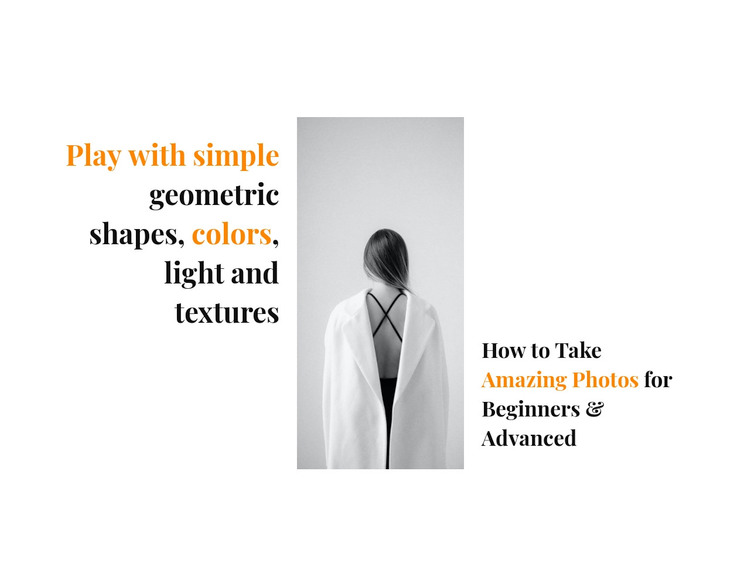
The Portrait Anchors Stable Photography Page Content
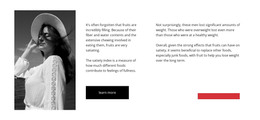
The centered grayscale portrait provides the visual anchor for two distinct pieces of page content. To its left, the heading about geometric shapes, colors, light, and textures introduces a broad visual vocabulary. To its right, the heading about taking photos for beginners and advanced users gives the section a more direct photography focus. Together, the text groups create a compact introduction while retaining separate editorial roles.
Within a WordPress-managed page, this block can function as stable photography content rather than as a collection of changing posts or a complete theme structure. Its white background and black serif typography establish a calm reading field, while orange emphasis helps selected phrases stand out without adding another component. The horizontal arrangement also gives the section a clear visual identity: the portrait divides the ideas, and the generous vertical spacing keeps each heading legible. Because the interaction is static, the content remains immediately visible and does not depend on tabs, sliders, or expandable panels. Other page content can provide deeper lessons, image collections, or supporting information around this section, while the block itself continues to serve as a concise editorial introduction.
Customize with Nicepage
Open this ready-made template in the WordPress Website Builder and customize it visually in the Nicepage editor. Replace demo content, edit page sections, and adapt the design to your project without rebuilding the template from scratch.
Edit Template Offline
2. Create a new page or select existing
3. Click Add new block, search for id 259582 and click enter
Edit Template Online
Create Awesome Websites


Free Nicepage Builder
Keywords
Manage and Edit This Theme in WordPress
Customize and Install the WordPress Theme
Start with this ready-made theme instead of building the WordPress design from scratch. Customize its layout, content, typography, images, sections, and other design elements visually in Nicepage editor, then export and install the WordPress Theme, Plugin, and Pages on your WordPress site. The Nicepage WordPress Plugin lets you continue working with the site after installation.
Edit the Theme Directly in WordPress
After installation, you can edit the WordPress Theme directly in WordPress with the Nicepage WordPress Plugin. Use Site Style to customize site Colors, Fonts, Header, Footer, Blog, and Post Page Templates while working within your WordPress website.
Edit WordPress Pages Visually
Use the Nicepage WordPress Plugin to edit page content directly from the WordPress admin area. Open a WordPress Page with Nicepage and visually change its text, images, sections, and other page elements while continuing to manage the Page through WordPress.
WordPress Content and Theme Integration
Use the customized theme with WordPress Pages, Posts, Blog and Post Templates, menus, widgets, and other CMS-managed content. Shared theme elements such as Colors, Fonts, Header, Footer, Blog, and Post Page Templates can be managed as part of the overall site design, while WordPress provides the CMS environment for managing site content.
This workflow combines a ready-made WordPress Theme with visual customization, direct theme editing in WordPress, and continued content management through the Nicepage WordPress Plugin.