Development consulting firm WordPress Theme


The strong heading works as stable WordPress page content
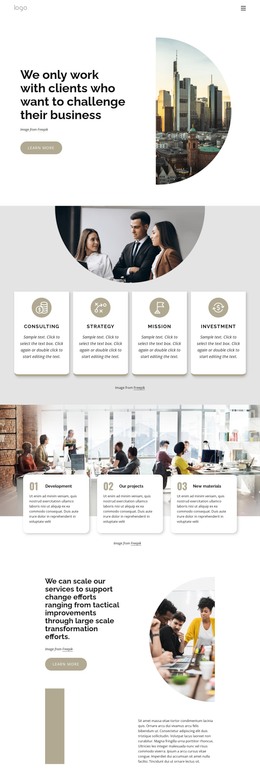
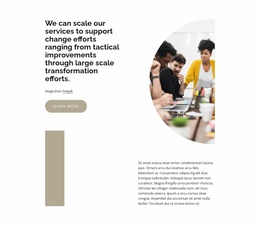
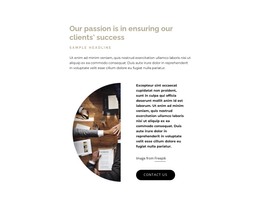
The hero’s main content is a substantial client-focused heading paired with one Learn more action. Together, they form a stable introductory message rather than a dense collection of changing items. The left-aligned text area gives the statement room to break across multiple lines, while the button remains visually separate as the section’s clear continuation point. A vertically centered cityscape image balances that text from the right, using a tall rounded silhouette to establish a contained visual region.
In a WordPress-managed site, this block can fit naturally as permanent content for a business consulting or business-services page. The heading can introduce the page’s point of view before later sections provide detail, and the button can connect that introduction with further information elsewhere in the surrounding project. The restrained white, black, and muted beige palette keeps attention on the message, while the city image supplies visual context without replacing the text hierarchy. The Freepik credit is retained as a small local content line beneath the heading, separate from the primary action. This makes the section suitable for a page-content role where the message, supporting image, and next-step link remain visually coordinated inside the broader WordPress presentation.
Customize with Nicepage
Open this ready-made template in the WordPress Website Builder and customize it visually in the Nicepage editor. Replace demo content, edit page sections, and adapt the design to your project without rebuilding the template from scratch.
Edit Template Offline
2. Create a new page or select existing
3. Click Add new block, search for id 2423580 and click enter
Edit Template Online
Create Awesome Websites


Free Nicepage Builder
Keywords
Manage and Edit This Theme in WordPress
Customize and Install the WordPress Theme
Start with this ready-made theme instead of building the WordPress design from scratch. Customize its layout, content, typography, images, sections, and other design elements visually in Nicepage editor, then export and install the WordPress Theme, Plugin, and Pages on your WordPress site. The Nicepage WordPress Plugin lets you continue working with the site after installation.
Edit the Theme Directly in WordPress
After installation, you can edit the WordPress Theme directly in WordPress with the Nicepage WordPress Plugin. Use Site Style to customize site Colors, Fonts, Header, Footer, Blog, and Post Page Templates while working within your WordPress website.
Edit WordPress Pages Visually
Use the Nicepage WordPress Plugin to edit page content directly from the WordPress admin area. Open a WordPress Page with Nicepage and visually change its text, images, sections, and other page elements while continuing to manage the Page through WordPress.
WordPress Content and Theme Integration
Use the customized theme with WordPress Pages, Posts, Blog and Post Templates, menus, widgets, and other CMS-managed content. Shared theme elements such as Colors, Fonts, Header, Footer, Blog, and Post Page Templates can be managed as part of the overall site design, while WordPress provides the CMS environment for managing site content.
This workflow combines a ready-made WordPress Theme with visual customization, direct theme editing in WordPress, and continued content management through the Nicepage WordPress Plugin.