Our experts can help you WordPress Theme


Stable Page Content From a Laptop Image and Counter Row
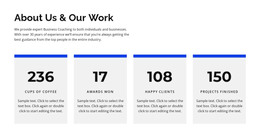
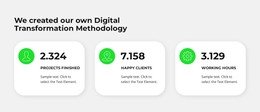
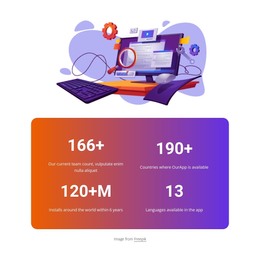
The laptop image gives the section a clear visual anchor, while the four repeated counters turn the lower portion into a compact area for stable page information. Each counter combines a circular icon, a large numeric value, and an uppercase label, so readers can scan the set without learning a new pattern for every item. The sample labels—projects finished, happy clients, working hours, and cups of coffee—show how the content can be organized, but they should be replaced or edited to match the actual site context rather than treated as business evidence.
In a WordPress-managed page, this block can function as permanent summary content within a services, company, portfolio, or similar information area. Its value comes from the relationship between the image and the metrics: the laptop introduces a technology-oriented visual cue, then the evenly spaced row supplies several concise reference points. The white field and blue accents keep the figures prominent without adding complex decoration, and the static interaction makes the section straightforward to place alongside other page content. It remains one reusable content section, while the surrounding WordPress project can provide fuller explanations, changing editorial material, or additional sections. The consistent item structure also supports revisions when labels or figures need to be updated independently.
Customize with Nicepage
Open this ready-made template in the WordPress Website Builder and customize it visually in the Nicepage editor. Replace demo content, edit page sections, and adapt the design to your project without rebuilding the template from scratch.
Edit Template Offline
2. Create a new page or select existing
3. Click Add new block, search for id 1867925 and click enter
Edit Template Online
Create Awesome Websites


Free Nicepage Builder
Keywords
Manage and Edit This Theme in WordPress
Customize and Install the WordPress Theme
Start with this ready-made theme instead of building the WordPress design from scratch. Customize its layout, content, typography, images, sections, and other design elements visually in Nicepage editor, then export and install the WordPress Theme, Plugin, and Pages on your WordPress site. The Nicepage WordPress Plugin lets you continue working with the site after installation.
Edit the Theme Directly in WordPress
After installation, you can edit the WordPress Theme directly in WordPress with the Nicepage WordPress Plugin. Use Site Style to customize site Colors, Fonts, Header, Footer, Blog, and Post Page Templates while working within your WordPress website.
Edit WordPress Pages Visually
Use the Nicepage WordPress Plugin to edit page content directly from the WordPress admin area. Open a WordPress Page with Nicepage and visually change its text, images, sections, and other page elements while continuing to manage the Page through WordPress.
WordPress Content and Theme Integration
Use the customized theme with WordPress Pages, Posts, Blog and Post Templates, menus, widgets, and other CMS-managed content. Shared theme elements such as Colors, Fonts, Header, Footer, Blog, and Post Page Templates can be managed as part of the overall site design, while WordPress provides the CMS environment for managing site content.
This workflow combines a ready-made WordPress Theme with visual customization, direct theme editing in WordPress, and continued content management through the Nicepage WordPress Plugin.