Perfect pregnancy guide WordPress Theme


Stable Pregnancy Content With a Clear Page-Section Rhythm
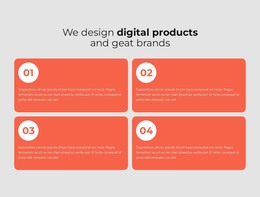
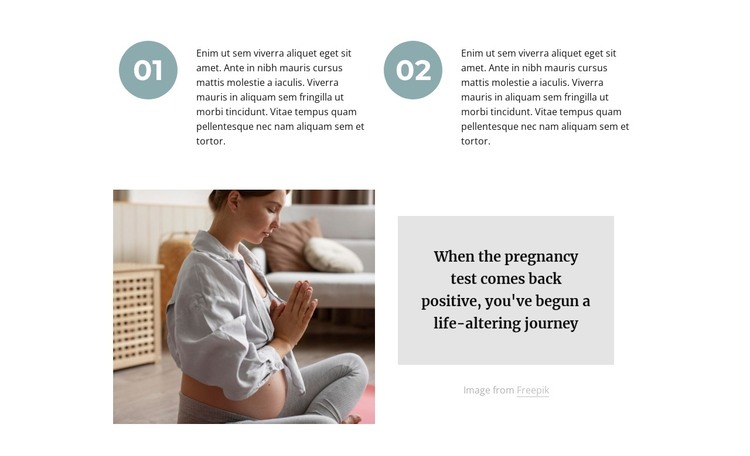
The numbered upper row reads as durable informational content that can sit within a WordPress-managed page. Markers labeled 01 and 02 distinguish two related points and give the reader a simple sequence to follow. Their placement across two columns keeps the information compact, while the white background and open spacing prevent the section from feeling crowded. This makes the block suitable for a stable pregnancy or maternal-health content area rather than time-sensitive listing content.
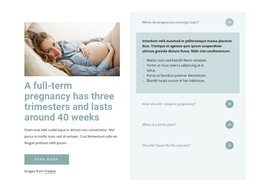
The lower composition gives that information a stronger editorial anchor. A pregnancy photograph occupies the left side, and the right side contains a centered quote in a pale gray panel. The visible quote mentions a positive pregnancy test and the beginning of a life-altering journey, creating a focused message that can complement the explanatory points above. The image attribution line below the panel remains part of the content arrangement and keeps credit information close to the visual feature it accompanies.
Within a broader WordPress-oriented project, this section can function as permanent page content while other areas manage additional pages or regularly updated material. Its muted teal number markers, compact sans-serif body text, bold serif quote, and balanced image-to-text split provide a consistent visual pattern that can be retained as the surrounding project evolves. Nicepage’s WordPress workflow can support editing broader site content, but the block itself remains one focused pregnancy-information section with static presentation and no implied CMS-specific component inside it.
Customize with Nicepage
Open this ready-made template in the WordPress Website Builder and customize it visually in the Nicepage editor. Replace demo content, edit page sections, and adapt the design to your project without rebuilding the template from scratch.
Edit Template Offline
2. Create a new page or select existing
3. Click Add new block, search for id 1563850 and click enter
Edit Template Online
Create Awesome Websites


Free Nicepage Builder
Keywords
Manage and Edit This Theme in WordPress
Customize and Install the WordPress Theme
Start with this ready-made theme instead of building the WordPress design from scratch. Customize its layout, content, typography, images, sections, and other design elements visually in Nicepage editor, then export and install the WordPress Theme, Plugin, and Pages on your WordPress site. The Nicepage WordPress Plugin lets you continue working with the site after installation.
Edit the Theme Directly in WordPress
After installation, you can edit the WordPress Theme directly in WordPress with the Nicepage WordPress Plugin. Use Site Style to customize site Colors, Fonts, Header, Footer, Blog, and Post Page Templates while working within your WordPress website.
Edit WordPress Pages Visually
Use the Nicepage WordPress Plugin to edit page content directly from the WordPress admin area. Open a WordPress Page with Nicepage and visually change its text, images, sections, and other page elements while continuing to manage the Page through WordPress.
WordPress Content and Theme Integration
Use the customized theme with WordPress Pages, Posts, Blog and Post Templates, menus, widgets, and other CMS-managed content. Shared theme elements such as Colors, Fonts, Header, Footer, Blog, and Post Page Templates can be managed as part of the overall site design, while WordPress provides the CMS environment for managing site content.
This workflow combines a ready-made WordPress Theme with visual customization, direct theme editing in WordPress, and continued content management through the Nicepage WordPress Plugin.