Headline with line and arrow WordPress Theme


Stable page content leads from a design statement to portfolio material
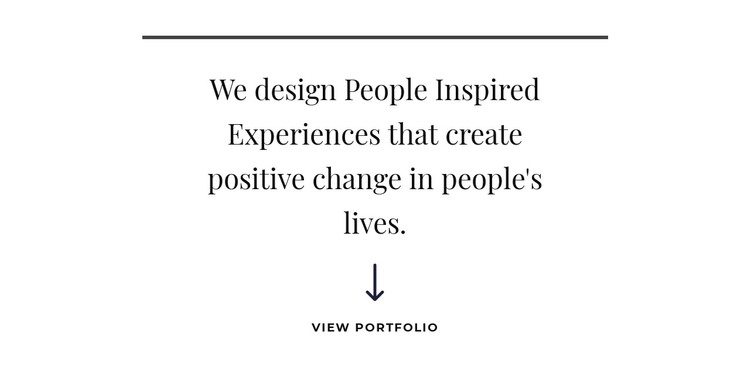
The centered statement reads as durable page content rather than a time-sensitive update. It introduces a design perspective in one substantial heading, with the thin horizontal rule providing a visual opening and the white background keeping the presentation calm. Dark charcoal typography and generous spacing make the text easy to distinguish as the main content group, while the single vertical arrangement avoids the density of a listing or editorial feed.
The lower arrow and uppercase “view portfolio” label give this page section a practical content relationship. In a WordPress-managed context, the block can remain a stable introduction on a portfolio or services-related page while other content areas hold projects, images, or deeper descriptions. The label identifies the intended direction, but the block itself does not need to contain the portfolio collection or imply a particular CMS component inside it.
This interpretation also separates the section’s content role from the broader theme structure. The block supplies a reusable visual and textual region that can be placed within a page, while the surrounding WordPress project manages other pages and publishable content. Its centered hierarchy can remain consistent when the statement or portfolio destination is updated, and its static behavior keeps the experience focused on reading the message and following the indicated direction.
Customize with Nicepage
Open this ready-made template in the WordPress Website Builder and customize it visually in the Nicepage editor. Replace demo content, edit page sections, and adapt the design to your project without rebuilding the template from scratch.
Edit Template Offline
2. Create a new page or select existing
3. Click Add new block, search for id 262148 and click enter
Edit Template Online
Create Awesome Websites


Free Nicepage Builder
Keywords
Manage and Edit This Theme in WordPress
Customize and Install the WordPress Theme
Start with this ready-made theme instead of building the WordPress design from scratch. Customize its layout, content, typography, images, sections, and other design elements visually in Nicepage editor, then export and install the WordPress Theme, Plugin, and Pages on your WordPress site. The Nicepage WordPress Plugin lets you continue working with the site after installation.
Edit the Theme Directly in WordPress
After installation, you can edit the WordPress Theme directly in WordPress with the Nicepage WordPress Plugin. Use Site Style to customize site Colors, Fonts, Header, Footer, Blog, and Post Page Templates while working within your WordPress website.
Edit WordPress Pages Visually
Use the Nicepage WordPress Plugin to edit page content directly from the WordPress admin area. Open a WordPress Page with Nicepage and visually change its text, images, sections, and other page elements while continuing to manage the Page through WordPress.
WordPress Content and Theme Integration
Use the customized theme with WordPress Pages, Posts, Blog and Post Templates, menus, widgets, and other CMS-managed content. Shared theme elements such as Colors, Fonts, Header, Footer, Blog, and Post Page Templates can be managed as part of the overall site design, while WordPress provides the CMS environment for managing site content.
This workflow combines a ready-made WordPress Theme with visual customization, direct theme editing in WordPress, and continued content management through the Nicepage WordPress Plugin.