Surf camp WordPress Theme


Travel Service Copy Works as Stable Page Content
The two paragraphs make this block suitable for a stable travel-information area within a WordPress-managed page. Their references to tours, hotels, resorts, cities, and countries provide a broad content subject that can remain relevant as the surrounding project develops. The section can introduce a travel service or holiday-planning theme while other page content supplies more specific destinations, accommodation details, or response options.
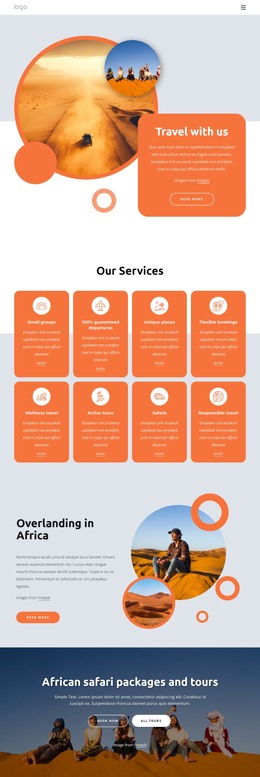
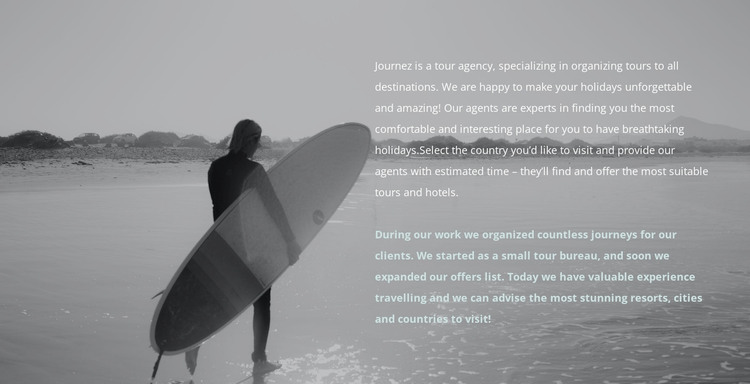
The visual arrangement gives that content a strong but bounded presentation. A full-width beach image with a person carrying a surfboard establishes the setting, and the right-side text creates a readable content zone over the photograph. Dark shading supports the white lettering, while the pale accent treatment on the second paragraph separates a secondary idea from the main copy. The result is a recognizable page section that can retain its identity when placed alongside other WordPress-managed content.
In a WordPress-oriented project, the block should be understood as publishable page content inside a wider theme and site structure, not as the complete theme itself. Its stable travel message can support an informational page, while other areas handle navigation, additional pages, editorial material, or booking-related actions. The generous vertical spacing also helps it act as a visual pause between denser content sections, preserving an immersive travel mood without requiring CMS components inside the block.
Customize with Nicepage
Open this ready-made template in the WordPress Website Builder and customize it visually in the Nicepage editor. Replace demo content, edit page sections, and adapt the design to your project without rebuilding the template from scratch.
Edit Template Offline
2. Create a new page or select existing
3. Click Add new block, search for id 138511 and click enter
Edit Template Online
Create Awesome Websites


Free Nicepage Builder
Keywords
Manage and Edit This Theme in WordPress
Customize and Install the WordPress Theme
Start with this ready-made theme instead of building the WordPress design from scratch. Customize its layout, content, typography, images, sections, and other design elements visually in Nicepage editor, then export and install the WordPress Theme, Plugin, and Pages on your WordPress site. The Nicepage WordPress Plugin lets you continue working with the site after installation.
Edit the Theme Directly in WordPress
After installation, you can edit the WordPress Theme directly in WordPress with the Nicepage WordPress Plugin. Use Site Style to customize site Colors, Fonts, Header, Footer, Blog, and Post Page Templates while working within your WordPress website.
Edit WordPress Pages Visually
Use the Nicepage WordPress Plugin to edit page content directly from the WordPress admin area. Open a WordPress Page with Nicepage and visually change its text, images, sections, and other page elements while continuing to manage the Page through WordPress.
WordPress Content and Theme Integration
Use the customized theme with WordPress Pages, Posts, Blog and Post Templates, menus, widgets, and other CMS-managed content. Shared theme elements such as Colors, Fonts, Header, Footer, Blog, and Post Page Templates can be managed as part of the overall site design, while WordPress provides the CMS environment for managing site content.
This workflow combines a ready-made WordPress Theme with visual customization, direct theme editing in WordPress, and continued content management through the Nicepage WordPress Plugin.