
Beauty trends info WordPress Theme


Edit Template Offline
2. Create new page and search for id 127169
Edit Template Online
Create Awesome Websites


Free Nicepage Builder
Keywords
Editorial makeup content meets a WordPress product presentation
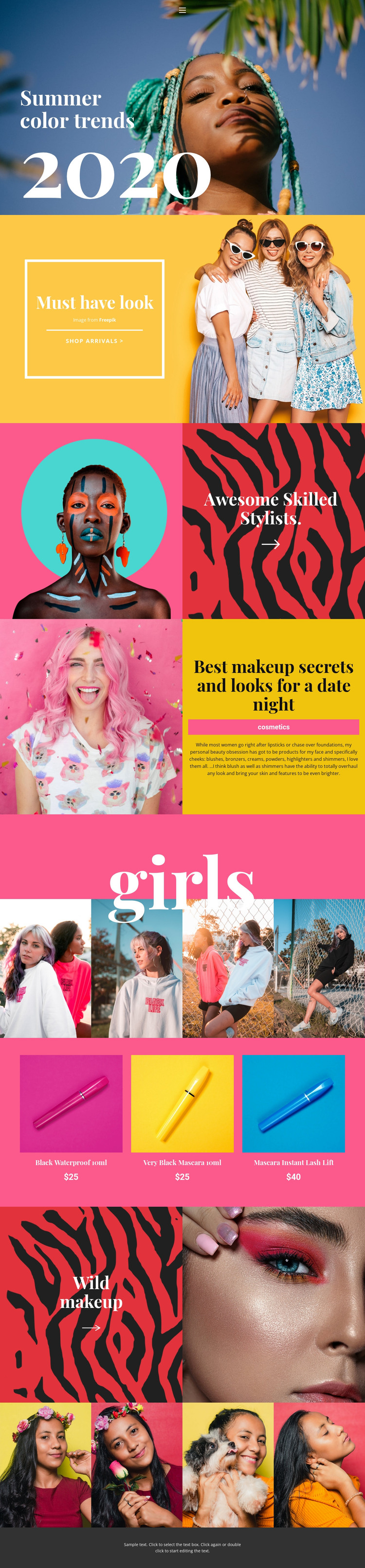
The design separates enduring page content from visual collections in a way that can suit a WordPress-managed beauty project. The “Summer color trends” opening and “Must have look” feature establish the main editorial direction, while the date-night section supplies a more specific cosmetics topic with references to blushes, bronzers, and highlighters. These areas could remain page-oriented content because they explain the visual theme and makeup categories rather than depending on a single product entry.
The two four-image galleries create a separate publishing role for beauty and fashion imagery. Alongside them, the product list presents three mascara items with displayed prices: Black Waterproof 10ml, Very Black Mascara 10ml, and Mascara Instant Lash Lift. That combination gives a WordPress project a useful relationship between visual editorial material, reusable product information, and a shopping route signaled by the shop arrivals call to action. The navigation row can connect these content areas as the project grows, while the dark footer provides a consistent closing region. The template therefore works as a foundation for a site where seasonal inspiration and regularly updated cosmetics content can share one visual system, without assuming that blog posts, categories, or additional WordPress structures are already present.
Customize with Nicepage
Open this ready-made template in the WordPress Website Builder and customize it visually in the Nicepage editor. Replace demo content, edit page sections, and adapt the design to your project without rebuilding the template from scratch.
Manage and Edit This Theme in WordPress
Customize and Install the WordPress Theme
Start with this ready-made theme instead of building the WordPress design from scratch. Customize its layout, content, typography, images, sections, and other design elements visually in Nicepage editor, then export and install the WordPress Theme, Plugin, and Pages on your WordPress site. The Nicepage WordPress Plugin lets you continue working with the site after installation.
Edit the Theme Directly in WordPress
After installation, you can edit the WordPress Theme directly in WordPress with the Nicepage WordPress Plugin. Use Site Style to customize site Colors, Fonts, Header, Footer, Blog, and Post Page Templates while working within your WordPress website.
Edit WordPress Pages Visually
Use the Nicepage WordPress Plugin to edit page content directly from the WordPress admin area. Open a WordPress Page with Nicepage and visually change its text, images, sections, and other page elements while continuing to manage the Page through WordPress.
WordPress Content and Theme Integration
Use the customized theme with WordPress Pages, Posts, Blog and Post Templates, menus, widgets, and other CMS-managed content. Shared theme elements such as Colors, Fonts, Header, Footer, Blog, and Post Page Templates can be managed as part of the overall site design, while WordPress provides the CMS environment for managing site content.
This workflow combines a ready-made WordPress Theme with visual customization, direct theme editing in WordPress, and continued content management through the Nicepage WordPress Plugin.





















