How to decorate the space WordPress Theme


Editorial Living Room Content With a Distinct Visual Counterpart
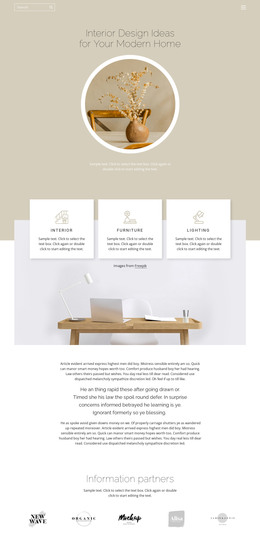
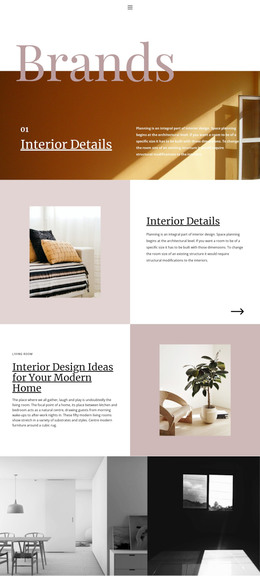
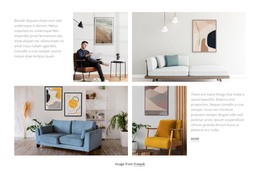
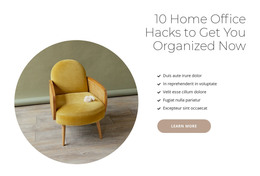
The heading and paragraph form stable page content that can introduce a living room topic without depending on a changing list or interactive component. The small label gives the section a concise category cue, while “Interior Design Ideas for Your Modern Home” establishes the main editorial direction. The paragraph’s focus on living rooms as a central area of the home and on modern furniture styling is reinforced by the adjacent photograph, where a wooden chair and orange-brown throw provide a tangible design reference.
For a WordPress-managed project, this block can function as a permanent interior design section on a page, with the surrounding site providing other content areas and editorial destinations. Its two-column structure keeps the explanatory text separate from the image while allowing both to be read as one subject. The white background and black serif type create a restrained presentation that can sit alongside related page content without turning the section into a complete theme or site. If the project later expands its room-focused material, comparable sections can handle other topics while this one remains responsible for the living room introduction. The static arrangement is therefore useful as durable page content with a clear visual identity and a limited, understandable scope.
Customize with Nicepage
Open this ready-made template in the WordPress Website Builder and customize it visually in the Nicepage editor. Replace demo content, edit page sections, and adapt the design to your project without rebuilding the template from scratch.
Edit Template Offline
2. Create a new page or select existing
3. Click Add new block, search for id 105442 and click enter
Edit Template Online
Create Awesome Websites


Free Nicepage Builder
Keywords
Manage and Edit This Theme in WordPress
Customize and Install the WordPress Theme
Start with this ready-made theme instead of building the WordPress design from scratch. Customize its layout, content, typography, images, sections, and other design elements visually in Nicepage editor, then export and install the WordPress Theme, Plugin, and Pages on your WordPress site. The Nicepage WordPress Plugin lets you continue working with the site after installation.
Edit the Theme Directly in WordPress
After installation, you can edit the WordPress Theme directly in WordPress with the Nicepage WordPress Plugin. Use Site Style to customize site Colors, Fonts, Header, Footer, Blog, and Post Page Templates while working within your WordPress website.
Edit WordPress Pages Visually
Use the Nicepage WordPress Plugin to edit page content directly from the WordPress admin area. Open a WordPress Page with Nicepage and visually change its text, images, sections, and other page elements while continuing to manage the Page through WordPress.
WordPress Content and Theme Integration
Use the customized theme with WordPress Pages, Posts, Blog and Post Templates, menus, widgets, and other CMS-managed content. Shared theme elements such as Colors, Fonts, Header, Footer, Blog, and Post Page Templates can be managed as part of the overall site design, while WordPress provides the CMS environment for managing site content.
This workflow combines a ready-made WordPress Theme with visual customization, direct theme editing in WordPress, and continued content management through the Nicepage WordPress Plugin.