Event & Corporate Announcement Template


Edit Template Offline
2. Create new page and search for id 6626244
Edit Template Online
Create Awesome Websites


Free Nicepage Builder
Keywords
A Product Launch Choice With Event Facts and Visual Proof
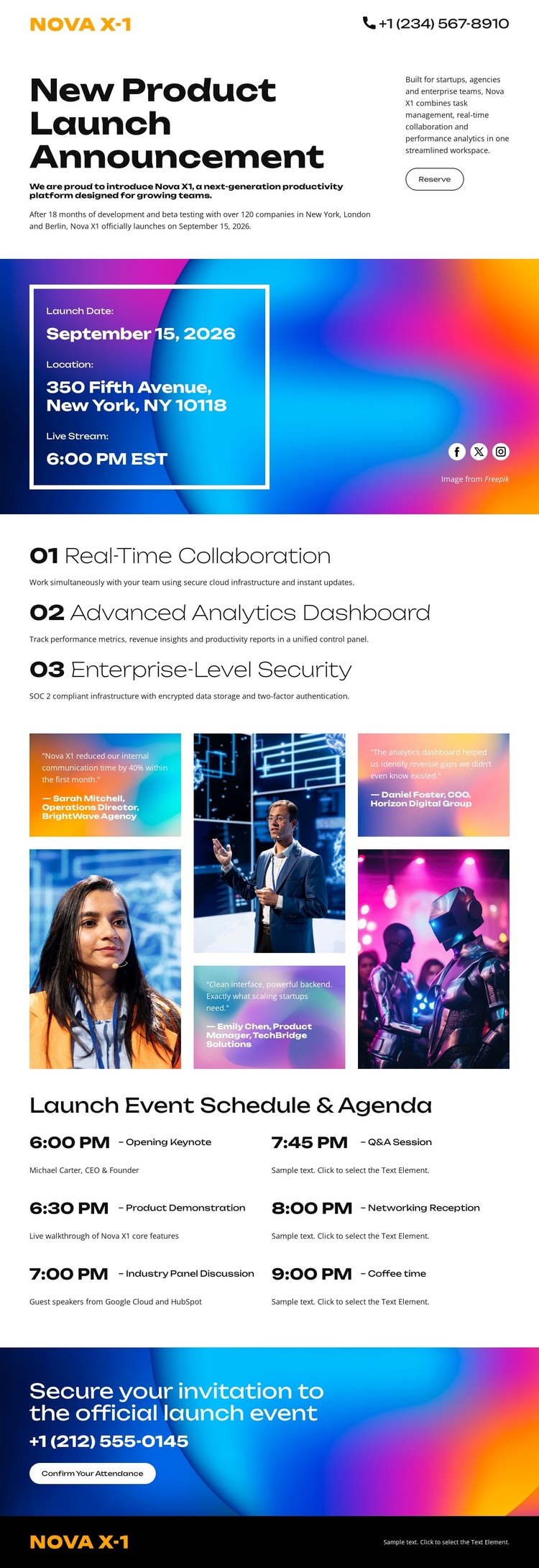
The strongest reason to choose this design is the way it combines product announcement content with a specific event narrative. The opening introduces Nova X-1 directly, while the white information card over a vivid gradient gives launch details and livestream information a highly visible position. This makes the design more focused than a general corporate homepage or a product page built around many unrelated categories.
Its middle sections add both substance and atmosphere. The three capability statements identify real-time collaboration, an advanced analytics dashboard, and enterprise-level security as a concise product story. The five-image collage then broadens that story through technology and event-related photography, using asymmetrical tiles and captions instead of relying only on explanatory paragraphs. The following eight-entry agenda adds practical coverage by showing the event as a program with a keynote, demonstration, panel discussion, and networking reception.
The final attendance invitation gives the layout a clear reason to exist: it presents information that can lead to participation. Projects needing a launch announcement, conference-style product reveal, or technology event page can use this option when the design should balance bold visual treatment with organized event content. Its distinctive combination is not just the gradient palette; it is the relationship between product capabilities, event schedule, collage imagery, and confirmation action.
Customize with Nicepage
Open this ready-made template in the Template Builder and customize it visually in the Nicepage editor. Replace demo content, edit page sections, and adapt the design to your project without rebuilding the template from scratch.
Start With a Ready-Made Template
Choose a Design for a New Page
Use a ready-made template as a starting point instead of creating every page from a blank canvas. When adding a new page in Nicepage, browse available designs, compare different layouts, and choose an option that already fits the general purpose and visual direction of your project.
Browse Different Page Designs
Explore Page Designs using search, thematic categories, Design Sets, and full-page previews. The collection includes layouts for different subjects and page purposes, making it easier to compare alternatives before selecting a design to customize.
Customize the Selected Template
After choosing a design, create the page and continue editing it visually in Nicepage. Replace the demo content, adjust images, typography, colors, sections, and other elements, and adapt the ready-made layout to your own content instead of rebuilding the design from the beginning.
Explore More Design Directions
If the first option does not match your project closely enough, return to the design collection and compare other templates before committing to a layout. This makes the template library useful not only for faster page creation, but also for exploring different visual approaches and finding a suitable starting point for a new project.
This workflow gives you access to a broad collection of ready-made designs that can be selected, compared, and customized according to the needs of each new page or project.