Art and painting studio Template



Edit Template Offline
2. Create new page and search for id 1716155
Edit Template Online
Create Awesome Websites


Free Nicepage Builder
Keywords
Eight Gallery Images Lead Into a Personal Creative Portfolio
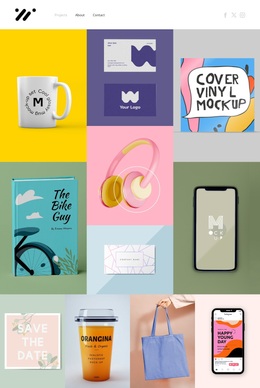
The eight-image gallery makes visual work the first substantial experience on the page, giving the design a clear point of distinction among ready-made creative layouts. Its regular matrix is more direct than a text-heavy introduction, while the centered title and supporting statement provide enough context for the imagery to carry the opening impression. This combination suits projects where photographs, visual examples, or selected work should communicate the design direction before longer explanations begin.
The page then adds useful variety without losing that visual emphasis. The About Us and What We Do columns clarify the profile and activity, while the centered Freelance Designer card turns the broad presentation into a more personal one. The three profile cards introduce a repeated people-oriented pattern, and the two-slide design statement carousel adds movement and changing messages over image-backed content. Together, these sections make the template adaptable to creative portfolios, independent designers, and studios that need both visual evidence and a human point of contact.
The asymmetrical projects collage provides a second distinctive showcase, using varied image sizes instead of repeating the opening grid. Four brand-like marks remain structural sample content, but they add another concise visual pause before the final Book an Appointment form. The restrained monochrome-and-orange palette ties these different sections together, making the design a strong option when a project needs portfolio storytelling, personal presentation, and a visible inquiry path in one page.
Customize with Nicepage
Open this ready-made template in the Template Builder and customize it visually in the Nicepage editor. Replace demo content, edit page sections, and adapt the design to your project without rebuilding the template from scratch.
Start With a Ready-Made Template
Choose a Design for a New Page
Use a ready-made template as a starting point instead of creating every page from a blank canvas. When adding a new page in Nicepage, browse available designs, compare different layouts, and choose an option that already fits the general purpose and visual direction of your project.
Browse Different Page Designs
Explore Page Designs using search, thematic categories, Design Sets, and full-page previews. The collection includes layouts for different subjects and page purposes, making it easier to compare alternatives before selecting a design to customize.
Customize the Selected Template
After choosing a design, create the page and continue editing it visually in Nicepage. Replace the demo content, adjust images, typography, colors, sections, and other elements, and adapt the ready-made layout to your own content instead of rebuilding the design from the beginning.
Explore More Design Directions
If the first option does not match your project closely enough, return to the design collection and compare other templates before committing to a layout. This makes the template library useful not only for faster page creation, but also for exploring different visual approaches and finding a suitable starting point for a new project.
This workflow gives you access to a broad collection of ready-made designs that can be selected, compared, and customized according to the needs of each new page or project.