Board Ports Industrial Template


Two overlapping photographs give the service story a strong center
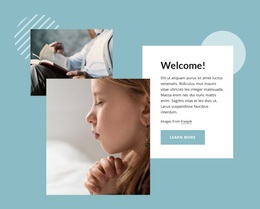
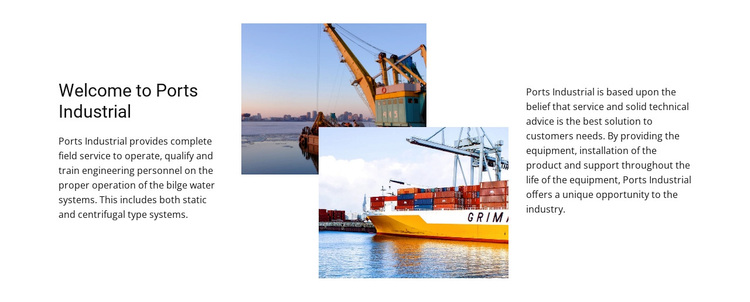
The block distinguishes itself through the way technical information and imagery share the same horizontal composition. A left introduction begins with “Welcome to Ports Industrial,” the two central photographs overlap to create depth, and the right paragraph adds practical context about equipment provision, product installation, and support throughout the equipment lifecycle. This is a more editorial arrangement than a simple row of service cards, yet it still carries several concrete capability references.
The text mentions static and centrifugal bilge water systems, as well as operation, qualification, and training for engineering personnel. Those details make the section useful when a page needs an about-oriented service explanation with a marine and industrial focus. The central image pair keeps the section visually distinctive while the two text columns preserve a readable path through the subject. Because the interaction is static, the design depends on composition, spacing, and image overlap rather than movement or expandable content.
Among ready-made section alternatives, this block is most suitable when the page needs one concentrated organization introduction with technical depth and visual presence. It can be chosen as a single reusable section, then placed beside other blocks for deeper services, contact details, or response actions. Its defining choice is the relationship between a three-part text-image-text structure and a focused lifecycle-support message.
Customize with Nicepage
Open this ready-made template in the Template Builder and customize it visually in the Nicepage editor. Replace demo content, edit page sections, and adapt the design to your project without rebuilding the template from scratch.
Edit Template Offline
2. Create a new page or select existing
3. Click Add new block, search for id 42515 and click enter
Edit Template Online
Create Awesome Websites


Free Nicepage Builder
Keywords
Start With a Ready-Made Template
Choose a Design for a New Page
Use a ready-made template as a starting point instead of creating every page from a blank canvas. When adding a new page in Nicepage, browse available designs, compare different layouts, and choose an option that already fits the general purpose and visual direction of your project.
Browse Different Page Designs
Explore Page Designs using search, thematic categories, Design Sets, and full-page previews. The collection includes layouts for different subjects and page purposes, making it easier to compare alternatives before selecting a design to customize.
Customize the Selected Template
After choosing a design, create the page and continue editing it visually in Nicepage. Replace the demo content, adjust images, typography, colors, sections, and other elements, and adapt the ready-made layout to your own content instead of rebuilding the design from the beginning.
Explore More Design Directions
If the first option does not match your project closely enough, return to the design collection and compare other templates before committing to a layout. This makes the template library useful not only for faster page creation, but also for exploring different visual approaches and finding a suitable starting point for a new project.
This workflow gives you access to a broad collection of ready-made designs that can be selected, compared, and customized according to the needs of each new page or project.