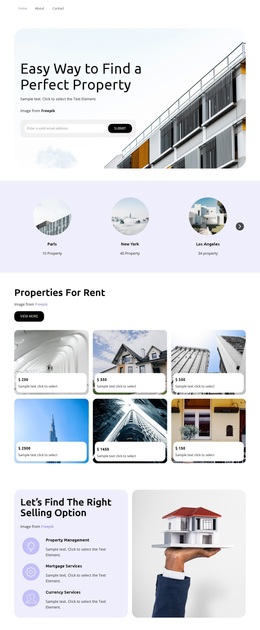
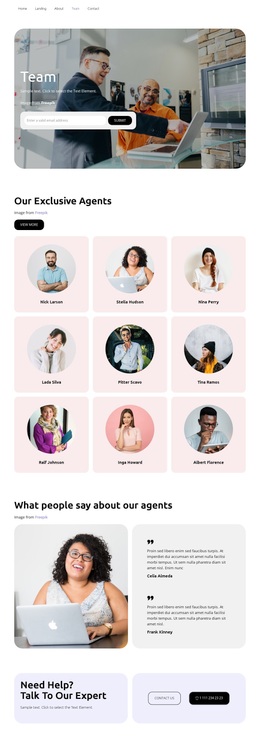
Dream real estate agency Template



Edit Template Offline
2. Create new page and search for id 31871
Edit Template Online
Create Awesome Websites


Free Nicepage Builder
Keywords
Four Project Links Turn Editorial Imagery Into a Strong Starting Point
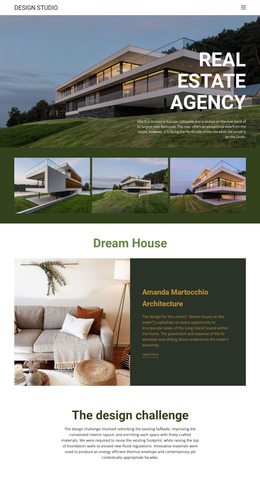
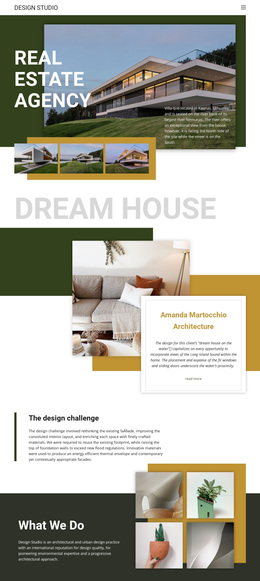
Large architectural photography carries the first impression, but the page does not stop at a single hero image. The opening combines a building photograph, uppercase title, supporting description, and three-image strip, establishing an editorial direction for projects where visual work should lead the presentation. The overlapping “Dream house” card then shows how a project can be explained through one image, concise text, and a Read More link.
The design also covers several reasons a visitor may want to understand an architecture practice. “The design challenge” introduces methodology, “What We Do” places practice information beside four architectural images, and the four navigation items identify Mission, Projects, Awards, and Contacts. The central grid is especially distinctive because it joins a short statement with four project links—Meraki Market Parklet, Turner Residence, Tech Office Space, and David Ireland House—rather than relying only on generic service cards. A second residential feature, “Good Work,” provides another example of the repeated image-and-card treatment.
This combination makes the design a useful option for an architectural studio, urban design practice, or portfolio-led presentation that needs both visual atmosphere and recognizable content coverage. The final inquiry band and social footer complete the route from first impression to further exploration. The choice is grounded in the page’s specific project storytelling, not in a broad claim that every template supports the same use.
Customize with Nicepage
Open this ready-made template in the Template Builder and customize it visually in the Nicepage editor. Replace demo content, edit page sections, and adapt the design to your project without rebuilding the template from scratch.
Start With a Ready-Made Template
Choose a Design for a New Page
Use a ready-made template as a starting point instead of creating every page from a blank canvas. When adding a new page in Nicepage, browse available designs, compare different layouts, and choose an option that already fits the general purpose and visual direction of your project.
Browse Different Page Designs
Explore Page Designs using search, thematic categories, Design Sets, and full-page previews. The collection includes layouts for different subjects and page purposes, making it easier to compare alternatives before selecting a design to customize.
Customize the Selected Template
After choosing a design, create the page and continue editing it visually in Nicepage. Replace the demo content, adjust images, typography, colors, sections, and other elements, and adapt the ready-made layout to your own content instead of rebuilding the design from the beginning.
Explore More Design Directions
If the first option does not match your project closely enough, return to the design collection and compare other templates before committing to a layout. This makes the template library useful not only for faster page creation, but also for exploring different visual approaches and finding a suitable starting point for a new project.
This workflow gives you access to a broad collection of ready-made designs that can be selected, compared, and customized according to the needs of each new page or project.