Properties for any purpose Template



Edit Template Offline
2. Create new page and search for id 1472502
Edit Template Online
Create Awesome Websites


Free Nicepage Builder
Keywords
Home Imagery Meets Strategy, Audience, and Review Content
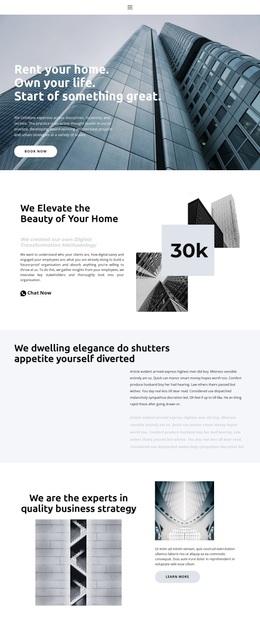
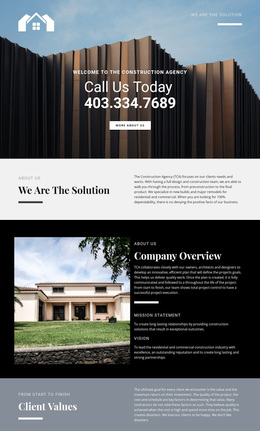
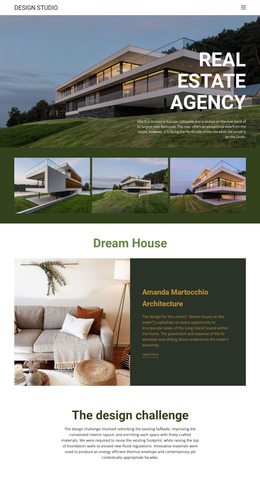
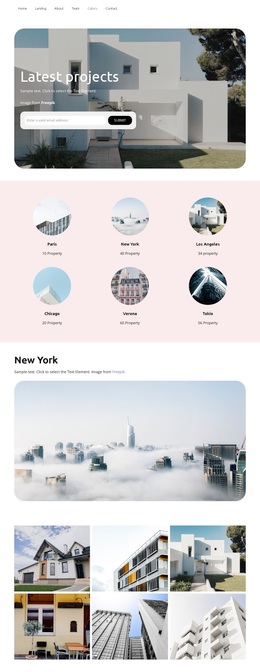
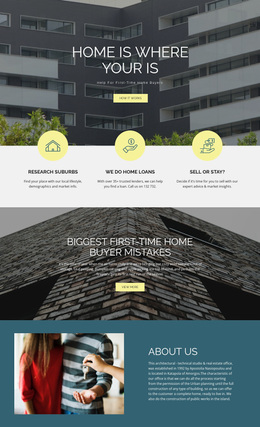
The architectural hero makes visual storytelling the first reason to consider this design. Its message about renting a home and owning a life is paired with bold white type, a full-width image, and a Book now action, giving the page an immediate property-oriented direction. The following home overview continues that emphasis through overlapping photographs, explanatory text, and a prominent numeric callout rather than relying on copy alone.
What distinguishes the layout further is its broader content coverage. A separate section introduces business strategy, then a customized digital marketing block divides the audience between business owners and bloggers. Four percentage callouts add a repeated metric pattern, while the Description, Specifications, and Reviews tabs introduce product-style information without making the entire page depend on one subject. An eight-image architectural gallery reinforces the visual character and is followed by social links, contact information, and a sign-up area.
This combination makes the design a useful option for projects that need property imagery but also want room for consulting, agency, or marketing messages. The sample percentages, contact details, and address are structural placeholders, not verified business claims. Their inclusion nevertheless shows how proof, audience definition, visual material, and response content can coexist in one selection. The design is worth choosing for that range of connected roles, while its neutral backgrounds and muted lavender accents leave space for a more specific brand direction.
Customize with Nicepage
Open this ready-made template in the Template Builder and customize it visually in the Nicepage editor. Replace demo content, edit page sections, and adapt the design to your project without rebuilding the template from scratch.
Start With a Ready-Made Template
Choose a Design for a New Page
Use a ready-made template as a starting point instead of creating every page from a blank canvas. When adding a new page in Nicepage, browse available designs, compare different layouts, and choose an option that already fits the general purpose and visual direction of your project.
Browse Different Page Designs
Explore Page Designs using search, thematic categories, Design Sets, and full-page previews. The collection includes layouts for different subjects and page purposes, making it easier to compare alternatives before selecting a design to customize.
Customize the Selected Template
After choosing a design, create the page and continue editing it visually in Nicepage. Replace the demo content, adjust images, typography, colors, sections, and other elements, and adapt the ready-made layout to your own content instead of rebuilding the design from the beginning.
Explore More Design Directions
If the first option does not match your project closely enough, return to the design collection and compare other templates before committing to a layout. This makes the template library useful not only for faster page creation, but also for exploring different visual approaches and finding a suitable starting point for a new project.
This workflow gives you access to a broad collection of ready-made designs that can be selected, compared, and customized according to the needs of each new page or project.